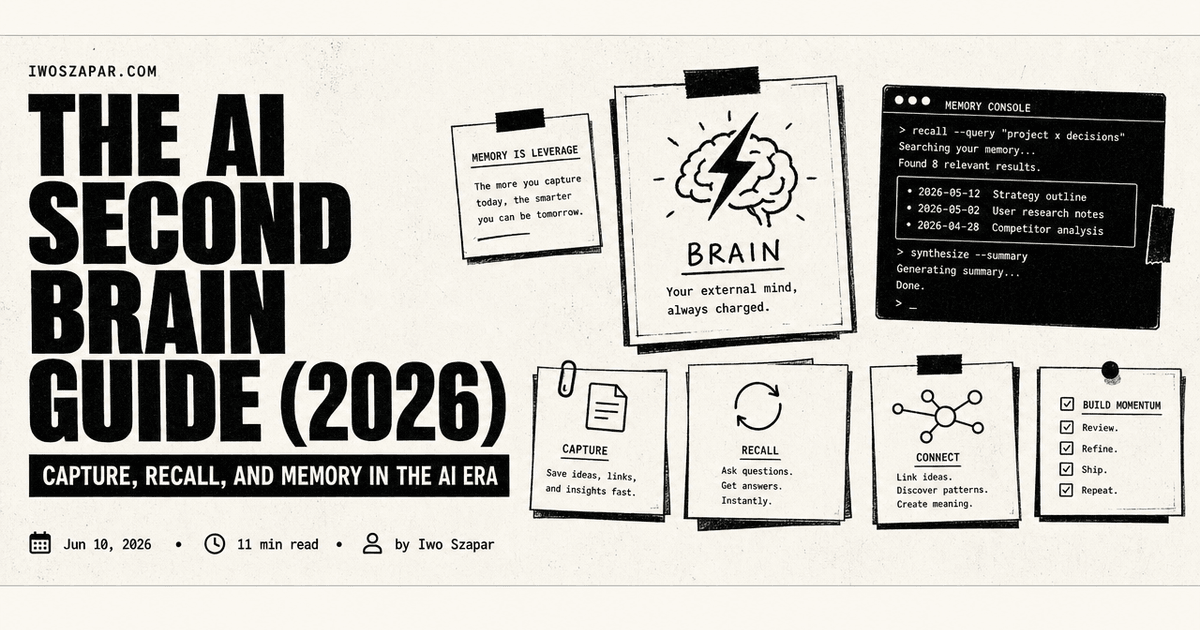
The AI second brain guide (2026)
Capture, recall, and memory in the AI era
I have built and rebuilt my second brain more times than I want to admit, and the version I finally shipped is the one I built into an AI second brain that went viral. The early versions were graveyards: beautiful folder structures I filled for two weeks and never opened again. The version I use now is different, because the AI does the work the old systems left to me.
Your brain is for having ideas, not storing them. That line is the whole reason a second brain exists. What changed in the last two years is that the second brain stopped being a filing cabinet you maintain and became a system that reads, recalls, and reasons over your knowledge on its own.
This is the guide I wish I had when I started. It covers what an AI second brain actually is, how it differs from a note app and from Tiago Forte's Building a Second Brain method, the five parts every good one has, and how to build yours. Where a topic deserves a deep dive, I link to one.
What is an AI second brain?
An AI second brain is a personal knowledge system where an AI assistant can read, write, and recall your notes, decisions, and context. The older generation of personal knowledge management, Evernote, Roam, a plain Obsidian vault, was passive. It stored what you filed and waited for you to come find it. An AI second brain is active: it captures with less friction, organizes itself, and answers questions in your own words across everything you have saved.
The simplest way I explain it: a note app remembers where you put things. An AI second brain remembers what you meant. Ask it what you decided about a project last quarter and it returns the decision, not a list of files that mention the word.
This is also why I think personal knowledge management broke in the AI era. The old systems optimized for human retrieval, careful folders and tags you would browse later. AI optimizes for a different reader, so the system that serves it looks different too. I wrote about that shift in why personal knowledge management is broken in the AI era.
How it differs from Building a Second Brain
Tiago Forte's Building a Second Brain is a method, not an app. Its CODE framework, capture, organize, distill, express, and its PARA system, projects, areas, resources, archives, are a human discipline you run by hand in any notes tool. It is genuinely good, and it is still the best mental model for what a second brain is for. You can read Forte's own introduction to the method.
An AI second brain automates the steps Forte taught you to do by hand, and adds one he never had. The AI captures and cleans up, organizes by meaning instead of by folder, distills long material into summaries, and helps you express. On top of that it carries a memory that persists across every AI session. Think of it as CODE and PARA, but the system does the work, and it remembers.
Why the AI era changes the second brain
The shift is from storage to recall. Old systems were judged on how well they let you file and find things. An AI second brain is judged on how well an assistant can use your knowledge the way you would.
Three things make the new version possible. Capture got cheaper, because you can dump text, voice, and documents in without sorting them first. Retrieval got smarter, because semantic search and "ask your notes" replaced manual browsing. And memory became persistent, so the assistant remembers context between sessions instead of starting cold every time. That last one is the real dividing line between a note app with a chatbot bolted on and a true AI second brain.
The five parts of an AI second brain
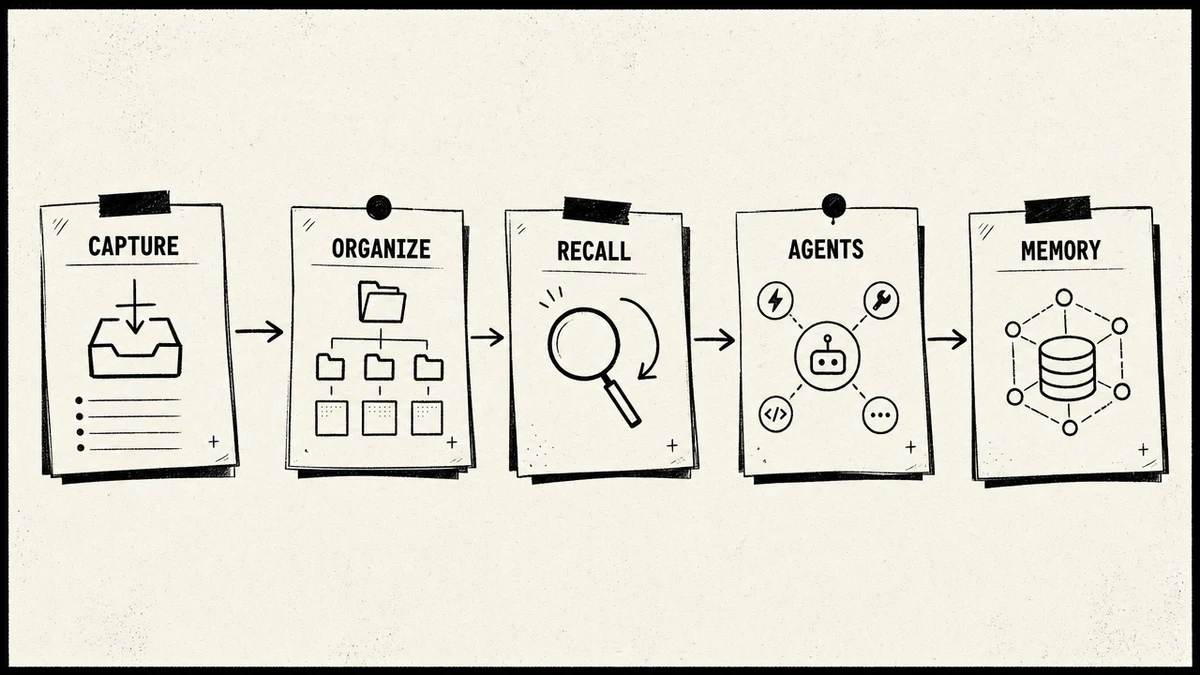
Every good AI second brain I have built or studied has the same five parts. If one is missing, the system feels broken in a predictable way.
- Capture. Low-friction, multi-format intake: text, web clips, documents, voice. If capturing is hard, you stop doing it, and the brain starves.
- Organize. The system tags, links, and clusters on its own, so structure emerges instead of being filed by hand.
- Recall. Semantic, natural-language retrieval. You ask in your own words and get an answer grounded in your notes, with the source.
- Agents. The brain does more than answer. It can run a morning briefing, a weekly review, or a multi-step research task and write the result back.
- Memory. A persistent layer that survives across sessions, so the assistant remembers your decisions, preferences, and project state every time.
Most note apps give you the first three. The agents and the persistent memory are what move a system from a smart notebook to a second brain.
Why MCP changed everything
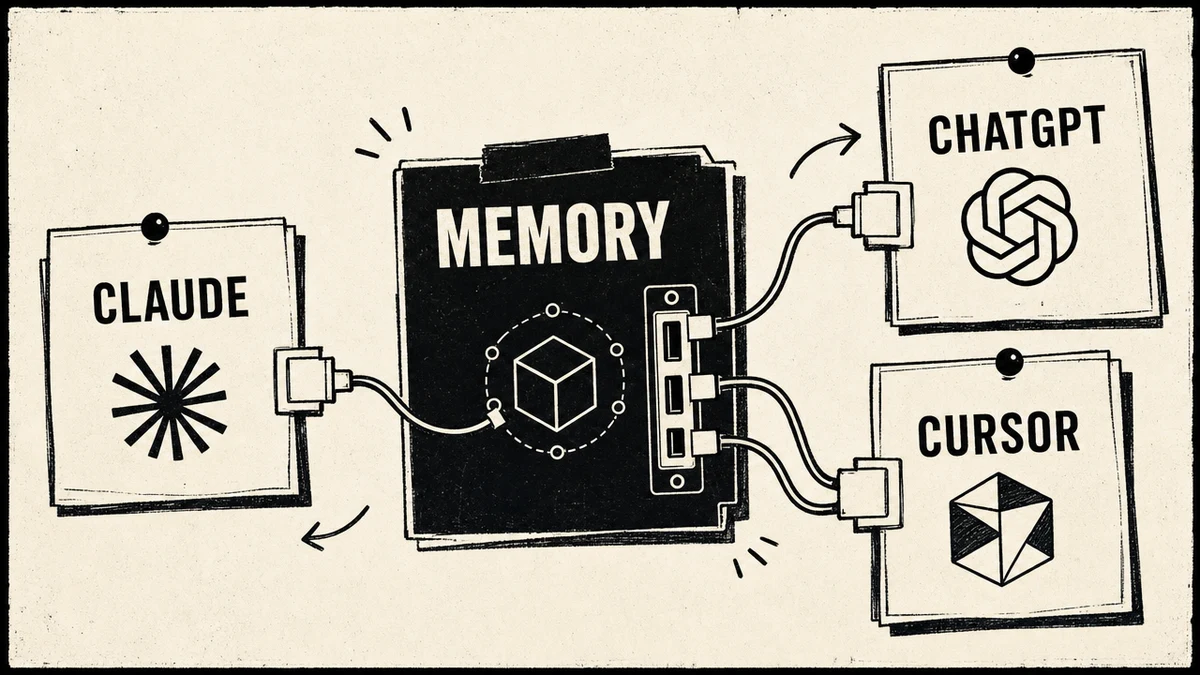
For a long time, connecting your knowledge to an AI assistant meant a custom integration for every tool. The Model Context Protocol, MCP, fixed that. It is an open standard, introduced by Anthropic and now stewarded by a vendor-neutral foundation, that lets any AI client plug into your memory and tools through one shared interface. People call it the USB-C for AI, and the comparison fits: one socket, many devices. You can read Anthropic's own introduction to MCP.
For a second brain, MCP is the connective tissue. A memory server exposes your knowledge through MCP, and then Claude, ChatGPT, or Cursor can all read and write the same memory without bespoke wiring. It is why a persistent memory layer is finally practical rather than a research project. I go deeper on the architecture in second brain MCP and on the broader idea in context engineering with MCP.
How to build your AI second brain
You do not need to buy anything to start. Here is the shortest path I recommend.
- Start with a folder, not an app. Make one directory you control, separated by lifecycle: an inbox for raw capture, a memory area for things that last, a projects area for active work, and an archive. Lifecycle beats topic, because topics blur and lifecycles do not.
- Write a short operating manual. A single file at the root that tells your AI assistant what the folders are for and how to behave. Keep it under a hundred lines.
- Add routines as skills. A morning briefing, a capture command, a weekly review. These turn the brain from a passive store into something that shows up for you.
- Install a memory layer. This is the step that makes it persistent. The full walkthrough is in how to build a second brain in Claude Code, and the memory-specific setup is in how to set up persistent memory with the MemoryOS MCP.
- Seed it and use it daily. Spend an hour putting real decisions and references in, then run a query every morning. The system rewards small, consistent use.
If you would rather not assemble it yourself, Iwo's Second Brain ships the folder structure, the skills, and the memory integration as a template, built on Iwo's MemoryOS for the persistent layer. It is the same architecture described above, set up for you.
Choosing your tools
There is no single right tool, only the right fit for how you think. The honest landscape:
- Notion is strongest for team-shared, documentation-heavy work. See Iwo's Second Brain versus Notion AI.
- Obsidian wins on local-first data ownership and customization. See Obsidian versus a second brain and Obsidian versus MemoryOS.
- Mem and Reflect are AI-first capture tools for people who hate filing.
- MCP memory servers are the layer that makes any of these persistent across AI sessions.
For a full tested comparison, I keep the best AI second brain solutions updated, and if you are leaving Notion specifically, the best Notion alternatives for AI memory covers the migration.
Why most second brains die
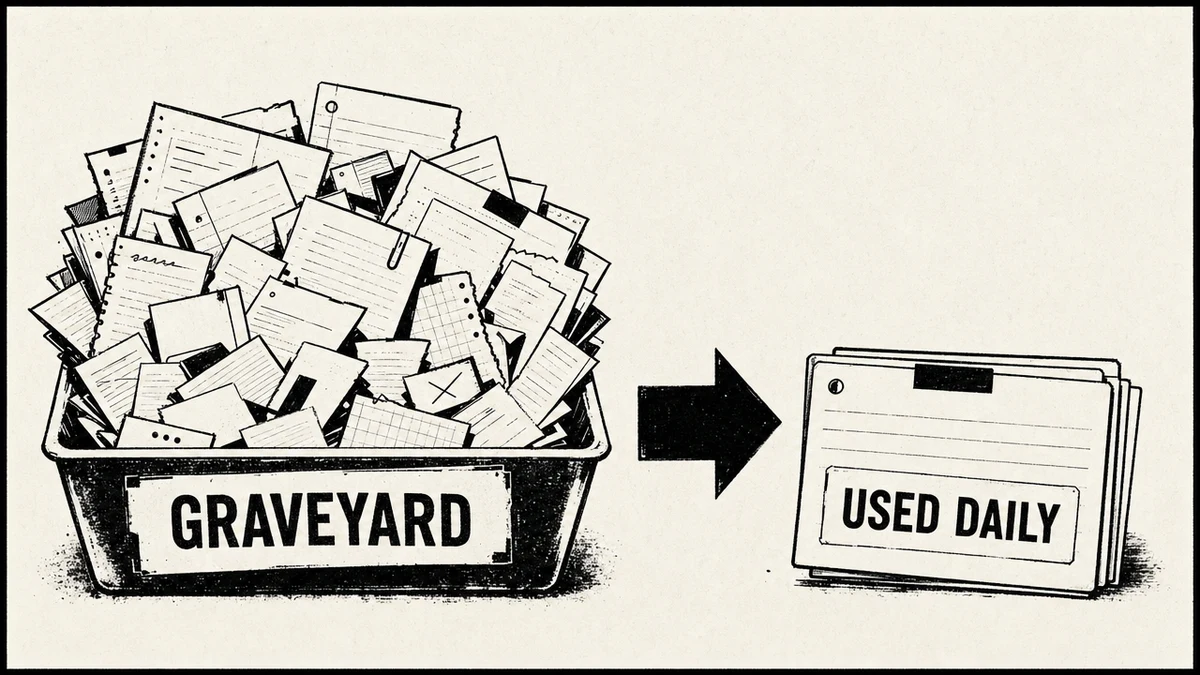
Two failure modes kill almost every second brain, and naming them is half the fix.
The first is capture friction. If putting something in requires choosing a folder, adding tags, and switching apps, you stop doing it. Lower the cost of capture to near zero and sort later.
The second is decay. You put things in but never look back, so the brain becomes a write-only archive. The fix is a weekly review that takes five minutes and surfaces what closed, what is stuck, and what you forgot. A system used twice a day for ninety seconds beats one you visit once a month for an hour.
The mistake I see most often is over-engineering the structure in week one and then never writing anything in it. Start simpler than feels right. Two folders is enough for the first month.
FAQ
What is an AI second brain?
It is a personal knowledge system where an AI assistant can read, write, and recall your notes, decisions, and context. Unlike a passive note app, it captures with low friction, organizes itself, answers questions in natural language across everything you have saved, and remembers context across sessions.
How is an AI second brain different from just using ChatGPT?
ChatGPT is a general assistant with limited memory of your own knowledge. An AI second brain gives an assistant durable access to your notes, decisions, and project state through a structured memory layer, so it grounds its answers in your context rather than starting cold each time. You can use ChatGPT or Claude as the front end and a second brain as the memory behind it.
Is an AI second brain different from Notion or Obsidian?
Yes. Notion and Obsidian are where your notes live. An AI second brain is the layer that lets an assistant use those notes intelligently, with semantic recall, agents, and persistent memory. Many people run both: edit in Obsidian or Notion, recall and reason through an AI second brain on top.
How is this different from Tiago Forte's Building a Second Brain?
Building a Second Brain is a manual method, the CODE and PARA frameworks, that you run by hand in any notes app. An AI second brain automates those steps and adds a persistent memory across AI sessions. The method still gives you the best mental model. The AI just does the labor it used to ask of you.
Do I need to know how to code to build one?
Not to start. A folder, a short operating manual, and a memory tool get you most of the value. The deeper setups, like wiring a memory server over MCP, are friendlier if you are comfortable in a terminal, but templates like Iwo's Second Brain exist precisely so you do not have to assemble it from scratch.
What is MCP and why does it matter for a second brain?
MCP, the Model Context Protocol, is an open standard that lets any AI client connect to your memory and tools through one shared interface, the USB-C for AI. It matters because it makes a persistent, portable memory layer practical: the same memory works across Claude, ChatGPT, and Cursor without custom integrations.
How long does it take to set up?
The folder and operating manual take about thirty minutes. Adding routines and a memory layer is another hour or two. You can have a working AI second brain in an afternoon, then improve it as you use it.
Ready to build yours without assembling it from scratch? Iwo's Second Brain ships the structure, skills, and memory integration as a template, on Iwo's MemoryOS for the persistent layer. For a guided build alongside others, see Iwo's Bootcamp.
Choose your next step
Choose whether to see the system or assess your own
webinar
Second Brain Demo
The Second Brain demo shows the layers in practice before you choose which piece to build first.
Watch the parts become a real workflow
interactive
Health Check
The Second Brain Health Check gives you a practical way to identify the weakest layer before you add more tools.
Assess what the current system is missing