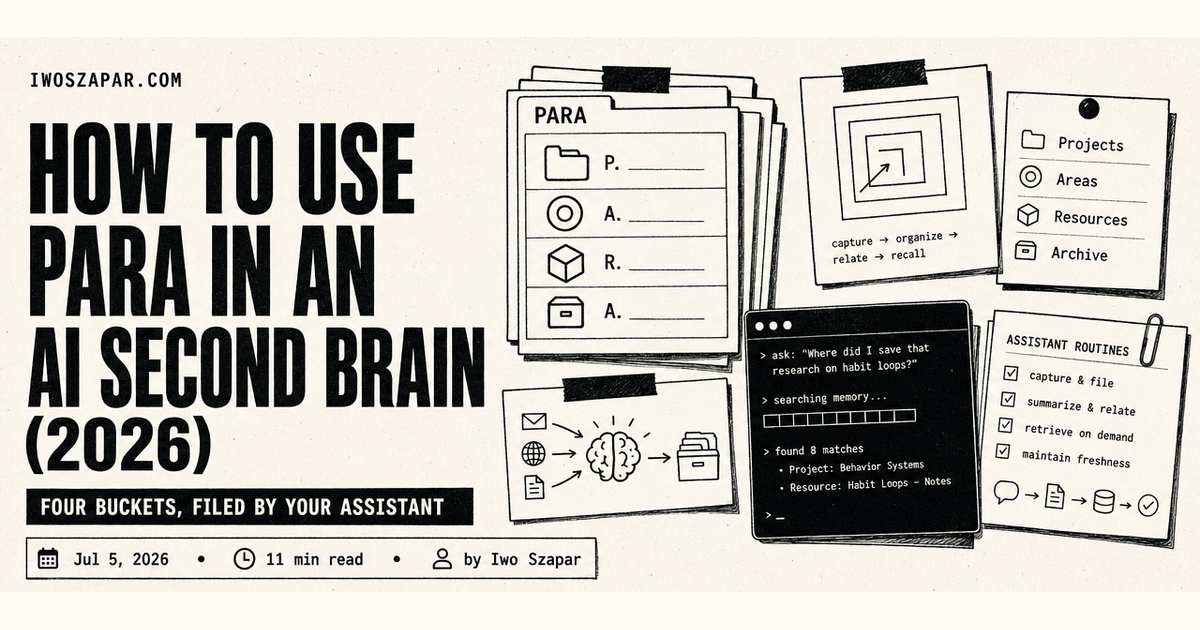
How to Use PARA in an AI Second Brain (2026)
Four buckets, filed by your assistant
I ran the PARA method the classic way for two years: four folders in a note app, sorted by hand, one drawer for Projects, one for Areas, one for Resources, one for Archives. It worked right up until it did not. Every file I moved, every project I archived, every resource I refiled was me doing manual clerk work. The structure was sound. The upkeep was all on me.
Then I moved the same four buckets into an AI second brain, and the clerk work went away. The PARA method still gives me the structure, but an assistant with persistent memory does the filing, the re-filing, and the recall. When I ask it to draft something, it pulls the right Project and the relevant Resource on its own. This guide is the applied version: how to wire PARA into an AI workspace so the four buckets run themselves. If you want the method explained from scratch, the complete PARA method guide covers what each bucket is and why. Here I assume you know PARA and want to run it with an assistant.
Why PARA and an AI second brain fit together
PARA and an AI second brain want the same thing from different directions. PARA, created by Tiago Forte, organizes information by how actionable it is rather than by topic. An AI second brain wants information it can retrieve by relevance at the moment of a task. Both are about pulling the right thing forward when you need it, not filing it prettily and forgetting it.
The classic PARA setup assumes a human moves items between the four buckets. A project finishes, you drag it to Archives. A resource becomes a live responsibility, you promote it to Areas. That movement is the whole point of PARA, and it is also the part people abandon first. An assistant with memory is good at exactly that movement, because filing by rule is boring for you and trivial for it.
So the shift is not throwing PARA out. It is keeping PARA's four buckets and handing the sorting to the assistant. You still decide what belongs where when it matters. The assistant does the hundred small moves that keep the structure honest between those decisions.
What changes when PARA lives in an AI second brain
The buckets stay. The labor moves. In a hand-sorted PARA system you are the index, the filing clerk, and the search engine. In an AI second brain, the assistant takes over two of those three roles and leaves you as the one who decides.
Here is the split I settled on.
| Role | Classic PARA (by hand) | PARA in an AI second brain |
|---|---|---|
| Deciding what belongs where | You | You, with the assistant proposing |
| Filing a new item into a bucket | You | The assistant, on a rule |
| Moving a finished item to Archives | You | The assistant, when a project closes |
| Finding the right item for a task | You search | The assistant recalls before it acts |
| Keeping the structure from rotting | You, until you stop | The assistant, continuously |
The reason this matters is that PARA does not fail because the model is wrong. It fails because the maintenance is relentless and lands entirely on one busy human. Move the maintenance to an assistant and the model finally holds.
Map PARA to surfaces your assistant can query
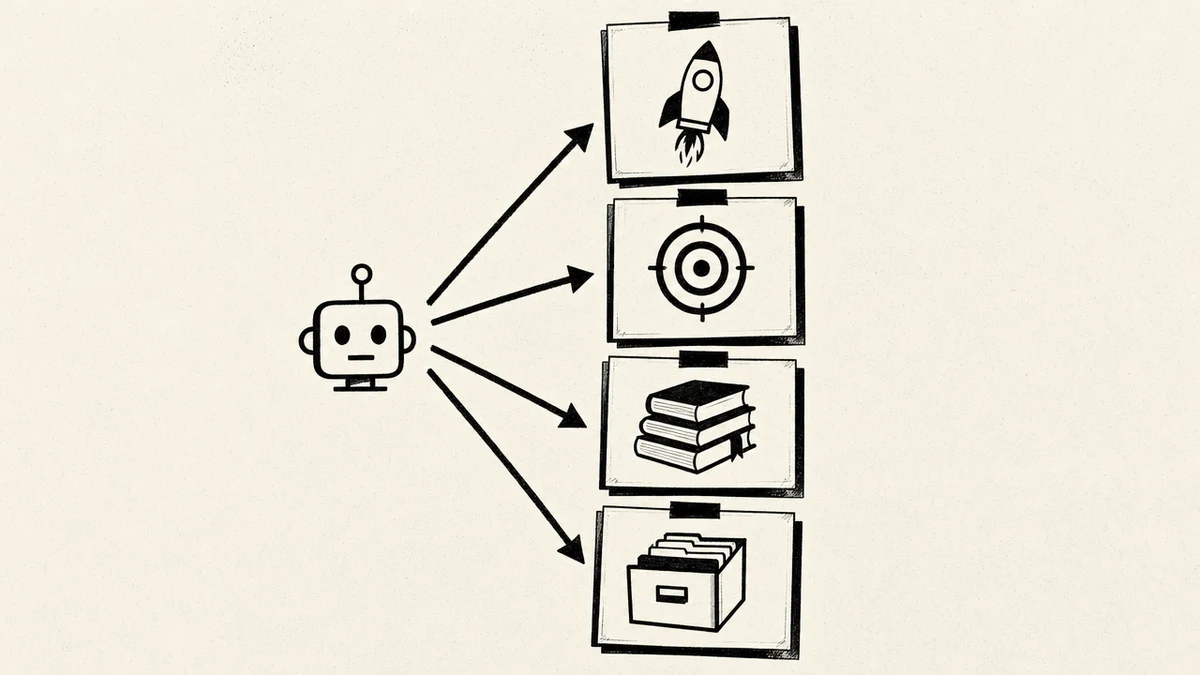
A folder in a note app is a place a human clicks into. That is the wrong shape for an assistant. For PARA to run inside an AI second brain, each bucket has to become a typed surface the assistant can write to and query, not a folder it can only read if you paste it.
The mapping I use keeps PARA's four names and gives each one a query the assistant can run.
- Projects. Active efforts with a goal and an end. The assistant files each project as its own record with the goal, the deadline, and the open decisions inside it. A query asks, what is the current state of this project, and gets the live answer.
- Areas. Standing responsibilities with no end date, like a client relationship, your finances, or hiring. The assistant files facts and standards here. A query asks, what do I need to hold steady in this area, and pulls the relevant facts.
- Resources. Reference material you might use later but do not owe anyone. The assistant files these loosely, tagged by topic. A query asks, what do I know about this subject, and returns the notes without cluttering the active buckets.
- Archives. Anything finished or dormant from the other three. The assistant moves items here rather than deleting them, so recall can still reach the history when you ask, without it surfacing in day-to-day work.
The practical trick is that these four surfaces are queryable, not clickable. That is what lets the assistant reach into the right bucket during a task instead of you opening a folder. If you have never set up that kind of store, the AI second brain guide walks through the store itself, and I build on it here.
Wire the surfaces to an assistant with persistent memory
Typed surfaces are useless if the assistant forgets they exist between sessions. The connective piece is persistent memory over a real connection, so the assistant can write to a bucket and query a bucket on its own, without you pasting context every time.
In 2026 the standard way to give an assistant that connection is an MCP memory server. MCP, the Model Context Protocol, is the plug that lets a client like Claude reach an external tool. A memory server is a tool whose only job is holding and returning your knowledge. Wire your four PARA surfaces behind it and the assistant gets functions like write this to Projects, query Areas for this client, move this record to Archives. It calls them like any other tool. I go deep on that connection in the persistent memory setup for MemoryOS, and the general mechanics live in the second brain MCP explainer.
The store I run PARA on is Iwo's MemoryOS, an MCP memory server, with Iwo's Second Brain providing the surfaces and the assistant protocol on top. It connects to Claude Code, Claude Cowork, Claude Desktop, Cursor, and Windsurf, so the same PARA structure follows me across whatever client I open. The data sits in a local database on my machine rather than a third party's server, which matters once your Areas hold client facts and private decisions.
Let the assistant file and re-file for you
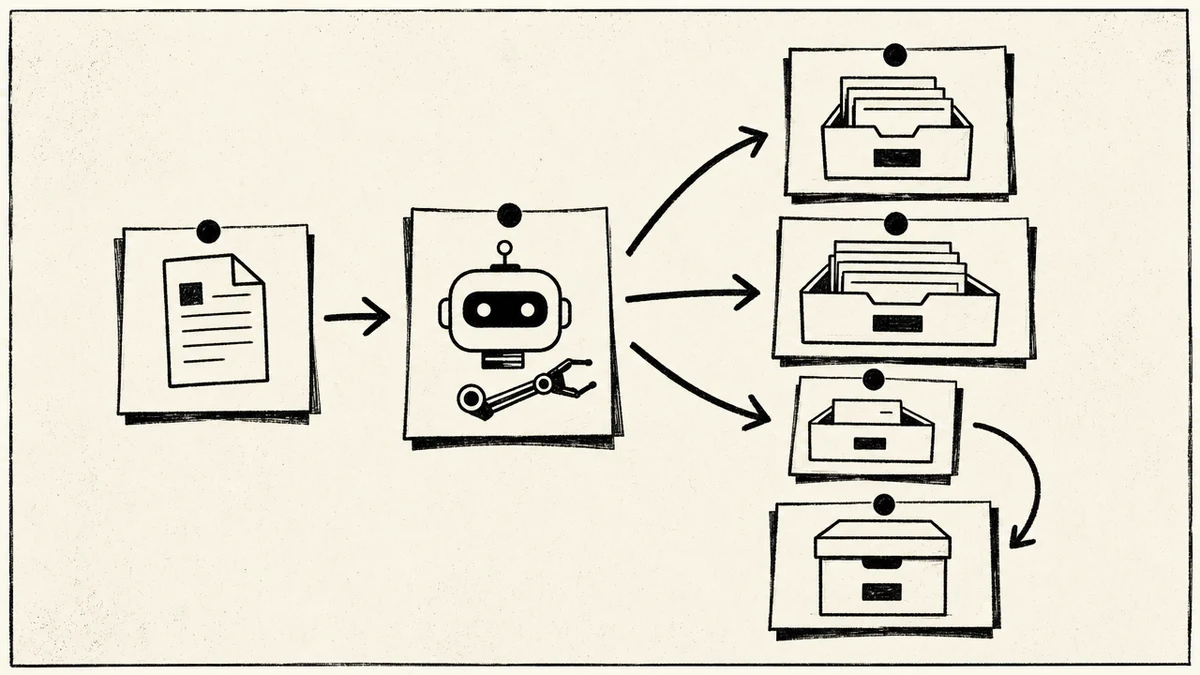
This is the part that pays for the whole setup. Filing is a rule, and rules are what assistants are best at. I give the assistant a standing instruction that lives in its memory file, so it applies on every session, not only when I remember to ask.
The instruction is roughly this. When we start something with a goal and a deadline, open a Project. When something is an ongoing responsibility with no end, file it under Areas. When it is reference I might want later but do not owe anyone, drop it in Resources. When a project closes or an area goes dormant, move it to Archives. Then I just work, and the sorting happens underneath.
The re-filing is the underrated half. Classic PARA lives or dies on items moving between buckets as their status changes, and that movement is exactly what humans skip. When I tell the assistant a project shipped, it archives the project record without me dragging anything. When a Resource turns into a live client responsibility, I say so once and it promotes the item to Areas. The four buckets stay accurate because the assistant maintains the boundaries between them, which is the maintenance that used to be my job. For the deeper version of handing this whole loop to an assistant, I wrote how to build a second brain with an AI agent.
If you read that and think you do not want to do the filing yourself, that is fair, because most people never keep it up. This is the exact job Iwo's Second Brain and Iwo's MemoryOS take off your plate: the assistant does the filing, the re-filing, and the recall so PARA stays honest on its own. A free Health Check is the zero-risk first step, it scores your current setup with no commitment before you change anything.
Make recall pull the right bucket before the assistant acts
Filing is only worth it if recall is reliable. The recall rule is one line in the memory file: before starting a task, query the relevant PARA surface for context, then act on what comes back rather than guessing.
The effect is that the four buckets stop being storage and start being working memory. I ask the assistant to draft a status update for a client, and before it writes a word it queries that client's Area for the standing facts, pulls the active Project for the current state, and checks Archives for what we shipped last quarter. It writes from that. I pasted nothing. It recalled because the protocol says query the right bucket first.
That is the moment PARA feels alive instead of tidy. In a hand-sorted system, you are the bridge between your own four folders and the actual work. When recall runs on a rule, the assistant is the bridge, and PARA finally does what Forte designed it to do: put the right information forward at the moment of action.
A worked setup, from empty workspace to running PARA
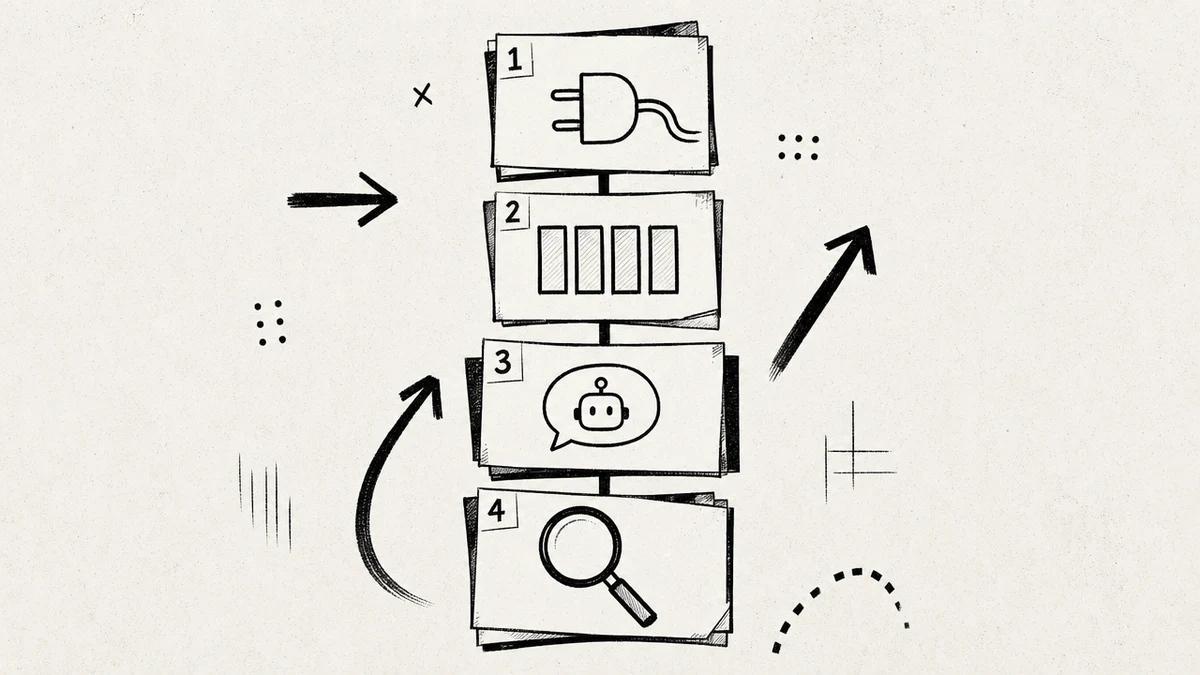
You can stand up a PARA-shaped AI second brain in an afternoon. Here is the order I would do it in, from an empty workspace to a running structure.
- Connect a memory store the assistant can write to. Set up an MCP memory server so the assistant has read and write functions, not a doc it can only read. This is the foundation for everything below.
- Build the four surfaces. Create Projects, Areas, Resources, and Archives as typed surfaces the assistant can query, not folders you click into. Keep the names, keep it to four.
- Write the filing rules into the memory file. Plain English: goal-with-a-deadline goes to Projects, ongoing responsibility to Areas, loose reference to Resources, finished or dormant to Archives, and move items as their status changes.
- Add the recall rule. One line: query the relevant bucket before acting, not after guessing.
- Run one real session and correct once. Do actual work, watch what the assistant files, and fix the first miscategorization by hand. It learns the boundary from one correction.
- Test recall on a fresh session. Start clean and ask for something that depends on a specific Project or Area. If it pulls the right bucket without you pasting, PARA is running itself.
If you do not want to wire each surface by hand, Iwo's Second Brain ships the four PARA-shaped surfaces and the assistant protocol as a template, so you start at step five instead of step one. The Standard tier of Iwo's MemoryOS runs the store and its ambient monitoring for $199 a year, with a free Health Check if you want to score what you already have before committing. Pricing is current as of mid-2026 and can change, so confirm on the product page before you buy.
Where PARA in an AI second brain still needs you
Handing PARA to an assistant does not mean handing it your judgment. The assistant is a good clerk and a poor decider, and a few things stay yours.
- The hard boundary calls. Is this a Project or an Area? Sometimes it is genuinely ambiguous, and you make the call the first time so the assistant can copy it after.
- What to archive versus keep active. The assistant archives on a rule, but you decide when a fuzzy area has actually gone dormant. Skim the boundaries for the first week.
- Trusting the surfaces. Hands-off is not blind. Review what the assistant files early so you trust each bucket before you lean on recall. Once you trust it, you stop looking.
If you are still deciding whether you even want PARA specifically or the broader Building a Second Brain system, the PARA versus Building a Second Brain comparison untangles which is which before you commit to a structure.
FAQ
What does it mean to use PARA in an AI second brain?
It means running the PARA method's four buckets, Projects, Areas, Resources, and Archives, as typed surfaces an AI assistant can write to and query, instead of folders you sort by hand. The structure stays the same, but the assistant does the filing, the re-filing, and the recall. You keep deciding what belongs where when it matters, and the assistant maintains the boundaries the rest of the time.
How is this different from just explaining the PARA method?
The PARA method itself is the model: four categories organized by how actionable information is. Using PARA in an AI second brain is the applied implementation of that model inside an AI workspace with persistent memory. This post is the implementation. For the model itself, what each bucket is and where it came from, read the complete PARA method guide, which is the reference this one builds on.
Do I need to know how to code to run PARA with an AI assistant?
No. The hardest step is connecting an MCP memory server to your AI client, and that is configuration, not programming. Building the four surfaces and writing the filing rules is plain English. A packaged option like Iwo's Second Brain on MemoryOS ships the PARA-shaped surfaces and the protocol, so you mostly write instructions rather than code.
Which AI tools can run a PARA-structured second brain?
Any client that supports MCP and a persistent instruction file. I run mine across Claude Code, Claude Cowork, Claude Desktop, Cursor, and Windsurf, with the same MemoryOS store behind all of them, so the four PARA buckets follow me regardless of which tool I open. The surfaces and the filing rules behave the same in each.
How does the assistant know which PARA bucket to file something in?
It follows the filing rules you put in its memory file: a goal with a deadline goes to Projects, an ongoing responsibility with no end date goes to Areas, loose reference you do not owe anyone goes to Resources, and anything finished or dormant moves to Archives. When it gets a boundary wrong, you correct it once and it copies the pattern. The rules live in the memory file so they apply to every session, not just the ones where you remember to ask.
Is PARA the best structure for an AI second brain, or are there others?
PARA is a strong default because organizing by actionability matches how an assistant recalls information at the moment of a task. It is not the only option, and some people run a flat memory with heavy tagging instead. What matters more than the exact taxonomy is that the buckets are typed surfaces the assistant can query and that recall runs before the assistant acts. PARA gives you four clean buckets to start from, which is why I use it.
Get PARA running without the clerk work
PARA gives you the structure. An assistant with memory gives you the upkeep, so the four buckets stay honest without you playing clerk. If you want that without wiring each surface by hand, Iwo's Second Brain ships PARA as ready-made surfaces, with capture, filing, and recall running on their own.
The single next step is the free Health Check. It scores your current setup and shows where recall is failing, with no commitment, so start there before you decide to change anything. For the method itself first, read the complete PARA method guide.
Related guides
Read next
The AI second brain guide
What an AI second brain is, and how the pieces fit together.
Apply it
Second Brain demo
See the product workflow before choosing a package.
Product path
AI Second Brain
The product path for people who want the system built.
Read next
PARA Method vs Building a Second Brain
Two methods compared, and what each assumes about your week.