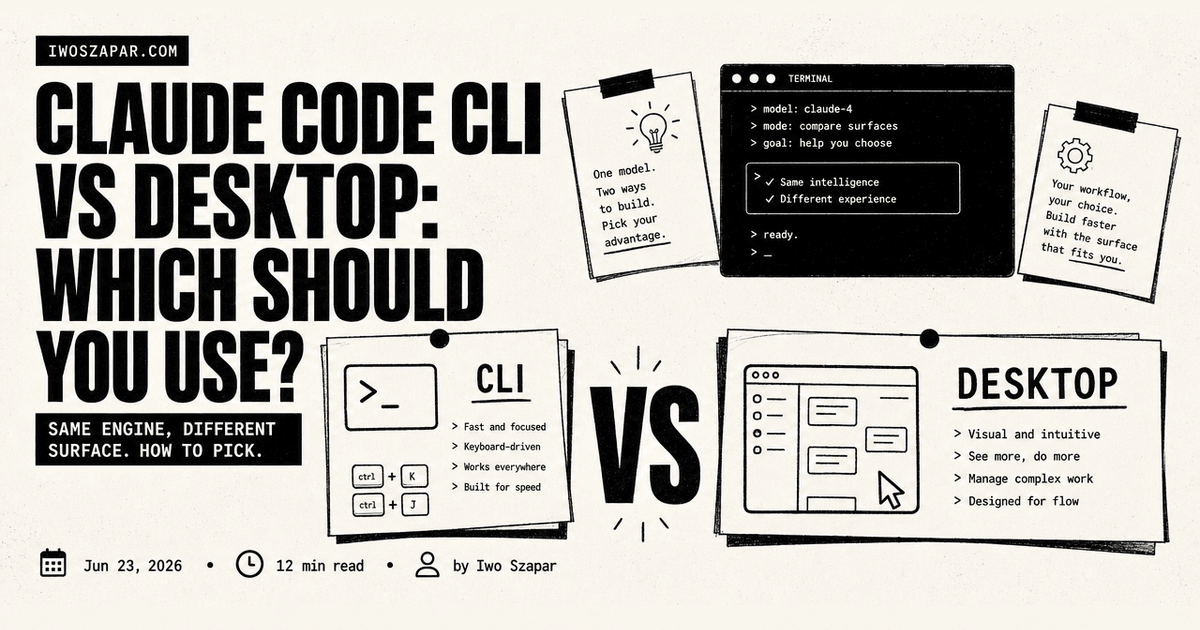
Claude Code CLI vs Desktop: Which Surface Fits?
A 50-row feature matrix for Claude Code CLI, Desktop, Dispatch, hooks, MCP, model support, and scheduling.
Choose Claude Code CLI when the work needs scripts, repeatable terminal workflows, or automation. Choose Desktop when you want a visual workspace for review and local, interactive work.
Whichever surface you use, configure the project context deliberately. The surface choice does not remove the need for a clear project setup.
Claude Code CLI and the Claude Code Desktop app run the same engine. They share project memory, CLAUDE.md, settings, MCP servers, hooks, skills, plugins, permission rules, and model access when your account supports those models. The difference is not the brain. It is the workflow surface wrapped around it.
Use the CLI when the work needs scripting, claude -p, shell piping, CI, launchd, cron, the Agent SDK, Linux, or third-party model routing. Use Desktop when the work needs visual diff review, parallel sessions in one window, automatic worktrees, app previews, file attachments, side chats, Dispatch from your phone, or local scheduled tasks. This guide shows exactly where each one wins and how to pick.
Claude Code CLI vs Desktop: quick decision
| Your work | CLI | Desktop | Why it matters |
|---|---|---|---|
| Repeatable command, script, or CI task | Primary | Optional review surface | Terminal workflows are easier to run again and verify |
| Reviewing an app, artifact, or many local changes | Useful | Primary | A visual surface can make human review faster |
| One-off local task with clear files and commands | Primary | Either | The task needs a concrete verification command |
| Persistent project context | Both, after setup | Both, after setup | The context must be deliberate, short, and retrievable |
| Sensitive or destructive operation | Both with boundaries | Both with boundaries | Surface choice does not replace permissions or approval |
Do not treat this as a list of immutable product claims. Features change. The decision stays stable: choose the surface that gives you the clearest workflow, smallest safe scope, and most useful verification step.
A five-minute setup after you choose
- Open the same project in the surface you chose first.
- Add or review the short repository context file.
- Pick one representative task, including the check that proves it worked.
- Run the task and inspect the result, not only the agent’s summary.
- Keep the configuration that helped. Remove integrations and context the task did not need.
For the beginner-friendly setup, use the Claude Code tutorial.
Claude Code CLI vs Desktop at a glance
Here is the fast comparison. Every row below is a real difference, not a marketing one.
| Feature | Claude Code CLI | Claude Code Desktop |
|---|---|---|
| Model support and aliases | /model, --model, env vars, settings, plus opus[1m] and sonnet[1m] |
Model dropdown and shared settings, same account access |
| Third-party providers | Strongest: Bedrock, Vertex AI, Foundry, gateways | Anthropic by default, enterprise can use Vertex or gateways |
| MCP servers | .mcp.json and ~/.claude.json |
Same, plus loads claude_desktop_config.json servers |
| Skills and hooks | Yes, from settings | Yes, shared from the same settings |
| Scheduled tasks and Dispatch | Cron, launchd, /loop, cloud routines with /schedule |
Local scheduled tasks, Dispatch from mobile, routines |
| Computer use | macOS research preview, Pro and Max, interactive only | macOS and Windows research preview, Pro and Max |
| Plan and cost | Same account and plan as Desktop, default model follows your plan | Same account and plan as the CLI, default model follows your plan |
| Platform | macOS, Windows, Linux | macOS and Windows, no Linux app |
The plan and account are the same object. You do not pay twice. Your default model, your provider access, and your context aliases all follow the account, not the surface. What changes is how you drive the work.
If you want the deeper mechanics behind config that both surfaces read, the file system is the prompt covers why CLAUDE.md and .claude/ shape every session regardless of interface.
First, fix the naming confusion
There are three names people mix together.
- Claude Code is the agentic coding system. Anthropic describes it as available in the terminal, IDE, desktop app, and browser.
- Claude Code CLI is the terminal version you launch with the
claudecommand. - Claude Desktop is the desktop app. It now has multiple tabs. Chat for normal conversations, Cowork for longer agentic work and Dispatch, and Code for software development.
This article compares the Claude Code CLI with the Code tab inside Claude Desktop. If you are comparing the normal Chat tab with the terminal, that is a different comparison. Chat is for conversation and files. Code is for codebase-aware agent work.
Model support and aliases
Model support is identical across both surfaces because it is tied to your account, not the interface. Claude Code exposes aliases so you do not memorize full model IDs.
| Alias | What it means in Claude Code |
|---|---|
default |
Clears an override and returns to the recommended model for your account type |
best |
Uses Fable 5 where available, otherwise the latest Opus model |
fable |
Uses Claude Fable 5 for the hardest and longest-running tasks |
opus |
Uses the latest Opus model for complex reasoning |
sonnet |
Uses the latest Sonnet model for daily coding |
haiku |
Uses the fast Haiku model for simpler tasks |
opus[1m] |
Uses Opus with a 1 million token context window where available |
sonnet[1m] |
Uses Sonnet with a 1 million token context window where available |
opusplan |
Uses Opus during planning, then Sonnet during execution |
As of the official docs checked on June 23, 2026, Anthropic says opus resolves to Opus 4.8 and sonnet resolves to Sonnet 4.6 on the Anthropic API. Default model behavior depends on your plan and provider. Max, Team Premium, Enterprise pay-as-you-go, and Anthropic API accounts default to Opus 4.8. Pro, Team Standard, and Enterprise subscription seats default to Sonnet 4.6.
The CLI sets models in four places: /model during a session, --model at startup, the ANTHROPIC_MODEL environment variable, and the settings file. Desktop uses the model dropdown and shared settings. For one-off scripts and CI jobs, pin full model IDs or explicit aliases and log the actual model used. For interactive work, aliases are fine.
The full feature matrix
The at-a-glance table above covers the decision. This is the exhaustive version for people who want every row.
| # | Feature | Claude Code CLI | Claude Code Desktop |
|---|---|---|---|
| 1 | Same Claude Code engine | Yes | Yes |
| 2 | Model picker and model aliases | /model, --model, env vars, settings | Model dropdown and shared settings |
| 3 | Fable 5 support | Yes, where your account has access | Yes, same account access |
| 4 | Opus, Sonnet, Haiku aliases | Yes | Yes |
| 5 | 1M context aliases | opus[1m], sonnet[1m] | Same model availability through picker/settings |
| 6 | opusplan | Yes | Same model support, but no CLI flag |
| 7 | Pin full model IDs | Yes | Yes through settings or managed config |
| 8 | Third-party providers | Strongest support: Bedrock, Vertex AI, Foundry, gateways | Anthropic by default. Enterprise Desktop can use Vertex or gateways. Bedrock/Foundry route through Cowork on 3P preview |
| 9 | CLAUDE.md project memory | Yes | Yes |
| 10 | CLAUDE.local.md local memory | Yes | Yes |
| 11 | .claude/settings.json | Yes | Yes |
| 12 | Permission modes | All modes, including CLI-specific flags | Ask, Accept edits, Plan, Auto, and Bypass via Settings |
| 13 | Hooks | Yes | Yes, shared from settings |
| 14 | Skills | Yes | Yes |
| 15 | Slash commands | Yes | Yes, except some terminal-dialog commands |
| 16 | Plugins | /plugin command | Plugin manager UI |
| 17 | MCP servers in .mcp.json or ~/.claude.json | Yes | Yes |
| 18 | claude_desktop_config.json MCP servers | No direct read. Import with claude mcp add-from-claude-desktop | Yes, Code tab loads them |
| 19 | Connectors UI | Config-driven | Built-in graphical setup |
| 20 | Local stdio MCP servers | Yes | Yes for local and SSH sessions |
| 21 | Remote MCP servers | Yes | Yes |
| 22 | Read and edit local files | Yes | Yes |
| 23 | Run shell commands | Yes | Yes through the session and built-in terminal |
| 24 | Built-in terminal | The CLI is the terminal | Terminal pane |
| 25 | File attachments | Limited. Work through files and paths | Images and PDFs supported |
| 26 | Visual diff review | Terminal diffs | Side-by-side diff viewer |
| 27 | App preview | External browser or tools | Built-in preview panel |
| 28 | Auto-verify UI changes | Manual unless scripted | Preview can auto-verify after edits |
| 29 | Session isolation | --worktree and manual worktrees | Automatic worktrees for sessions |
| 30 | Multiple parallel sessions | Separate terminals, background agents, or agent view | Sidebar sessions and split panes |
| 31 | Side questions | /btw in CLI | Side chat pane |
| 32 | Background task pane | /tasks | Tasks pane |
| 33 | Background agents | claude agents, /bg, --bg | Managed through sessions and cloud handoff |
| 34 | claude -p non-interactive mode | Yes | No, Desktop is interactive |
| 35 | Shell piping | Yes, for example piping git diff into claude -p | No |
| 36 | Structured output | --output-format json, stream-json, JSON schema | No direct equivalent |
| 37 | Agent SDK | Yes | No direct Desktop equivalent |
| 38 | CI/CD | Strong fit with CLI, GitHub Actions, GitLab CI | Not the right surface |
| 39 | launchd, cron, shell scripts | Yes | Use Desktop scheduled tasks or cloud routines instead |
| 40 | /loop session-scoped scheduled prompts | Yes | Use Desktop scheduled tasks or ask in a Desktop session |
| 41 | Cloud routines with /schedule | Yes | Yes through Routines page or Remote routine creation |
| 42 | Desktop local scheduled tasks | No, use CLI scheduling or routines | Yes |
| 43 | API-triggered routines | Yes through cloud routines | Yes through remote routines |
| 44 | GitHub event-triggered routines | Yes through cloud routines | Yes through remote routines |
| 45 | Claude Code on the web | Can start or teleport sessions with CLI flows | Can continue sessions to web |
| 46 | Remote Control | Start local session with claude remote-control | Can connect to existing sessions through the broader account surfaces |
| 47 | Dispatch from phone | No | Yes, via Cowork/Dispatch spawning Code sessions |
| 48 | SSH sessions | Native terminal SSH, then run CLI | SSH environment from Desktop |
| 49 | Computer use | macOS research preview, Pro/Max, interactive only | macOS and Windows research preview, Pro/Max |
| 50 | Linux | Yes | Desktop app is not available on Linux |
Scheduling: cron, /loop, Desktop tasks, and routines
This is where most people make the wrong choice.
| Option | Runs on | Machine needs to be on? | Best use |
|---|---|---|---|
| Shell cron or launchd plus CLI | Your machine or server | Yes | Local scripts, repo automation, workflows you want to own fully |
/loop | Current Claude Code session | Yes, session must stay alive | Polling during one active session |
| Desktop scheduled task | Your machine through Desktop | Yes, Desktop open and computer awake | Local files, local tools, visual review, recurring local maintenance |
| Cloud routine | Anthropic-managed infrastructure | No | Reliable scheduled work, API-triggered jobs, GitHub event automation |
| CI/CD | GitHub/GitLab runners | No local machine | PR checks, scheduled maintenance, repo automation |
The rule of thumb:
- Use CLI plus cron or launchd when the workflow is part of your own operating system.
- Use Desktop scheduled tasks when the workflow needs local files, local credentials, or visual inspection and you are fine with the app being open.
- Use cloud routines when the job should run even if your laptop is closed.
- Use
/loopwhen you are already in a session and want Claude to keep checking something for a short period.
Dispatch vs Remote Control
Dispatch and Remote Control sound similar, but they point in opposite directions.
Dispatch lives in Claude Desktop and Cowork. You message a task from mobile, and Dispatch can spawn a Code session on your machine. It is useful when you are away from your desk and want your desktop environment to do the work.
Remote Control starts from the CLI. You run claude remote-control, then steer that local session from claude.ai/code or the mobile app. It is useful when a local terminal session is already running and you want to keep guiding it from another device.
If your query is "Claude Code CLI dispatch," the answer is that Dispatch is not a CLI feature. The CLI alternative depends on your goal.
- For steering an existing local session, use Remote Control.
- For events from chat or webhooks, use channels.
- For independent background work, use
claude agents,/bg, or--bg. - For durable cloud automation, use routines.
- For normal shell automation, use
claude -p.
Which should you use?
You do not have to pick one forever. But on any given task, one surface is right. Match yourself to a profile.
Choose the CLI if you build systems. You want claude -p in scripts, you pipe data through Unix tools, you run launchd, cron, GitHub Actions, or GitLab CI, you need the Agent SDK, you use Linux, or you route models through Bedrock, Vertex AI, Foundry, or a gateway. The CLI gives you logs, JSON output, and deterministic behavior that keeps working without a GUI. If you are wiring the CLI into automation, Claude Code best practices covers the habits that keep those scripts from breaking.
Choose Desktop if you review and coordinate. You want a visual diff viewer, multiple sessions visible in one app, automatic worktrees without thinking about branch isolation, the app preview panel with visual auto-verification, Dispatch from mobile, local scheduled tasks with a GUI, or computer use on Windows. If you prefer not to live in a terminal, Desktop lowers the setup floor.
Use both if you are serious about Claude Code. Keep the CLI at the center for hooks, cron automation, scripted checks, and database-connected workflows. Use Desktop as the review and coordination layer for diffs, UI inspection, local scheduled tasks, and small fixes dispatched from your phone. The work decides the surface, not habit.
Skip the choice entirely if you only chat. If you are not doing codebase-aware agent work at all, the plain Chat tab or the web app is enough. You do not need Code on either surface until the task touches a repo.
A production setup recommendation
If you are building a Second Brain, an agent workspace, or a serious automation system, split it like this.
| Layer | Best surface |
|---|---|
| Durable repo memory | Shared files: CLAUDE.md, .claude/rules/, .claude/skills/, .claude/agents/ |
| Local automation | CLI with shell scripts, launchd, cron, claude -p |
| CI/CD | CLI or official GitHub/GitLab tooling |
| Visual review | Desktop |
| Local scheduled code maintenance | Desktop scheduled tasks |
| Reliable unattended cloud work | Routines |
| Mobile-to-computer delegation | Dispatch |
| Remote steering of a local session | Remote Control |
| Large research or audit fan-out | Dynamic workflows |
| Coordinated multi-agent experiments | CLI agent teams |
The mistake is trying to force one surface to do everything. Claude Code is a multi-surface system now. The work should decide the surface. If you want to see how this compares to the OpenAI side of the fence, I put Codex vs Claude Code through the same lens.
FAQ
Is Claude Code CLI free?
The CLI itself is the terminal client you launch with claude. Access and your default model follow your plan, the same plan that Desktop uses. There is no separate charge for choosing the terminal over the app.
Can I use MCP servers in Claude Desktop?
Yes. The Desktop Code tab reads MCP servers from .mcp.json and ~/.claude.json, and it also loads servers from the older claude_desktop_config.json. The standalone CLI does not read that last file unless you import those servers with claude mcp add-from-claude-desktop.
Does the CLI support scheduled tasks?
Yes, through several paths. Use cron or launchd with claude -p for local jobs, /loop for polling inside a live session, or cloud routines with /schedule for durable work that runs even when your laptop is closed. Desktop local scheduled tasks are the app-side equivalent and need the app open.
Which has better model support?
Neither. Model access is tied to your account, so both surfaces reach the same models and aliases. The CLI exposes them through /model, --model, env vars, and settings. Desktop exposes them through the model dropdown and shared settings. The CLI does lead on third-party provider routing like Bedrock and Vertex AI.
Can I use both together?
Yes, and most serious users do. They share CLAUDE.md, settings, hooks, skills, MCP servers, and plugins, so a project configured for one works in the other. Run the CLI for automation and headless work, and open Desktop when you want visual review or Dispatch. The skills you set up once even travel beyond Claude: SKILL.md is an open standard, and skills written by a smarter model run in Codex CLI and Gemini CLI too.
Does Desktop work on Linux?
No. The Desktop app ships on macOS and Windows only. On Linux, the CLI is your path, and it covers scripting, CI, cron, and the Agent SDK without a GUI.
Official sources checked
I checked these official Anthropic docs while updating this page.
- Claude Code overview
- Platforms guide
- Desktop application
- Desktop scheduled tasks
- Run Claude Code programmatically
- Run prompts on a schedule
- Routines
- Computer use from the CLI
- Model configuration
- MCP and connectors
- Connectors overview
Bottom line
Claude Code CLI is the power surface for automation. Claude Code Desktop is the best visual surface for review, parallel local work, app previews, Dispatch, and local scheduled tasks.
If you only write code by hand, Desktop may be enough on its own. If you build systems that run while you are away, keep the CLI at the center and use Desktop as the visual control layer. Same engine, shared configuration, different operating modes. The work picks the surface.
Choose your next step
Choose the next step after selecting your surface
tutorial
Claude Code Tutorial
The Claude Code Tutorial walks through setup, context, memory, and the first workflow after you have picked your surface.
Set up Claude Code with a clear first use case
tutorial
Context Engineering Guide
The Context Engineering Guide shows how to give either surface the instructions, memory, and tool boundaries it needs.
Put the right context behind the interface
Related guides
Read next
Claude Code best practices
Set up concise repository instructions and checks after choosing a surface.
Read next
Build a Second Brain with an AI agent
Give either surface durable project context and a correction loop.
Product path
AI Second Brain
Explore the path for a context system built around your work.