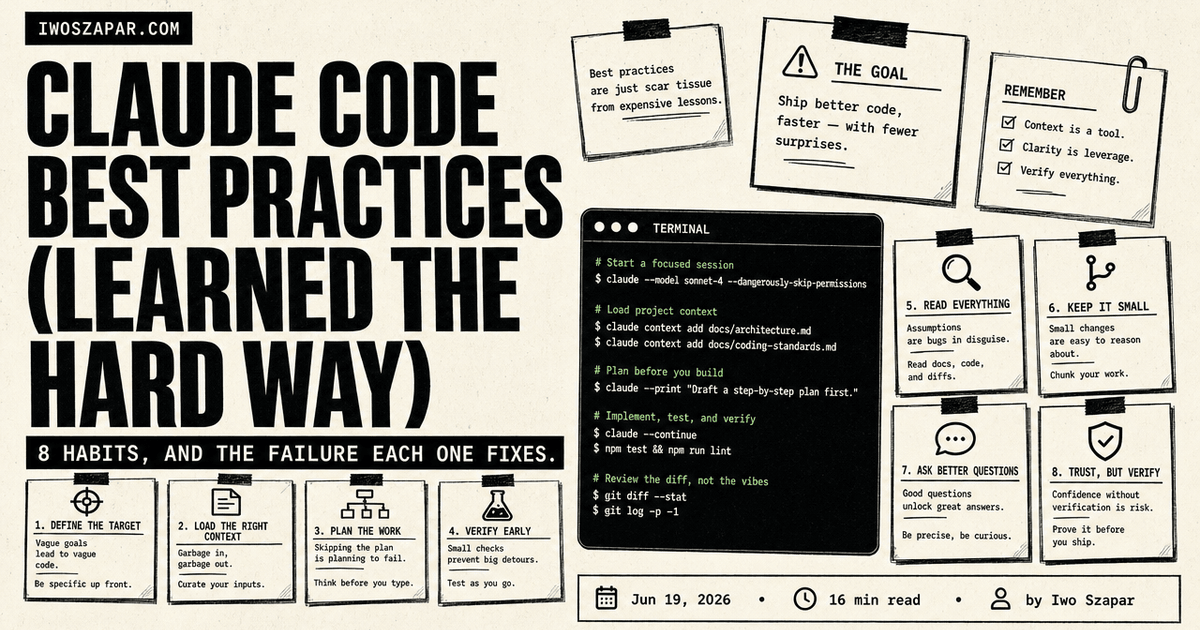
Claude Code best practices: clear instructions and verified work
A practical way to use CLAUDE.md, scoped rules, plans, and checks without turning repository context into a dumping ground.
Reviewed 22 September 2026 against Anthropic's current project-memory guidance and the live search results for claude code best practices.
The useful part of CLAUDE.md is simple: put the repository rules that change an agent's decisions in a concise, reviewed instruction file. Keep current task state and decisions in their source records. Then ask Claude Code to prove a change with the checks that fit the work. CLAUDE.md is guidance, not a security boundary, and it should not try to hold everything the team knows.
This page covers the habits that make Claude Code easier to trust: clear repository instructions, scoped context, a plan before broad edits, and evidence at handoff.
The short version
- Keep project-wide instructions short, concrete, and checked into the repository.
- Put specialist guidance near the files it governs instead of loading a manual for every task.
- Write the outcome and the proof of completion before editing.
- Use a plan when the work has dependencies or material risk.
- Treat permissions, tests, and review as separate controls from written guidance.
What belongs in CLAUDE.md?
CLAUDE.md is the place for durable instructions that a teammate or an agent needs to work safely in this repository. Anthropic recommends specific, concise instructions because they are easier for the agent to follow consistently. Its current memory documentation also separates user-authored CLAUDE.md instructions from auto memory that Claude creates from prior work. Read the official distinction.
Good candidates include:
- commands that prove a TypeScript, API, or deployment change;
- architecture boundaries that are hard to infer from the code;
- repository conventions, such as where server routes live or how migrations are created;
- known failure modes and the check that catches each one;
- approval boundaries for production data, credentials, publishing, or external messages.
Leave out long tutorials, changelogs, generic language rules, and task notes that will be stale next week. A good test is practical: would removing this sentence make a future contributor choose the wrong file, command, or boundary? If the answer is no, it probably belongs elsewhere.
A copyable CLAUDE.md starter
Many guides competing for this query offer huge rule collections. Start smaller. Replace the example commands and paths with the ones your repository already uses, and delete any line you cannot explain to a teammate.
# Repository map
- Application code lives in `src/`; server routes live in `api/`.
- Read `docs/architecture.md` before changing a cross-cutting boundary.

# Working rules
- Find the existing pattern before adding a new abstraction.
- Preserve unrelated work in a dirty checkout.
- Keep task state and decisions in the issue, not in this file.

# Verification
- For application changes, run the focused test, type check, and build.
- For a public page, verify the rendered result on desktop and mobile.
- Report what passed, what failed, and what remains unproven.

# Approval boundaries
- Ask before publishing, changing production data, spending money, or sending messages.
- Treat written instructions as guidance; use permissions, tests, and review for hard controls.
The important part is not the headings. Each line should change a decision or name a check. “Be careful with migrations” is vague. “Create migrations with the repository command, run the documented dry run, and do not push until drift is reconciled” tells the agent what to do and how to stop.
CLAUDE.md vs auto memory vs durable working context
| Layer | Purpose | Use it for |
|---|---|---|
CLAUDE.md and scoped instructions | Reviewed repository guidance | Durable rules, conventions, and checks an agent must see explicitly. |
| Claude auto memory | Recall from prior work | Useful preferences or lessons to review; never the only source for a required policy. |
| Issue, plan, or decision record | Durable shared working context | Current work, trade-offs, owners, and decisions that need a date and a reviewer. |
| Skill | A repeatable procedure with checks and exceptions | Run the voice validator before publishing public copy. |
| MCP or approved tool connection | Access to a named external system | Read the approved customer record through the scoped connector, with the required permission. |
| Hook, CI, or permission control | A rule that must be enforced mechanically | Reject a generated file that is stale. |
The table matters because each layer has a different job. A written instruction can guide an agent. A permission boundary, hook, or CI check is where a critical rule becomes enforceable.
Scope context instead of loading the whole repository
Claude Code starts with the instructions applicable to the directory where you work. Project guidance above that directory is available from the start. Guidance inside a subdirectory can be loaded when the task enters that area. That gives you a useful structure: keep the root file navigational, then place narrow rules beside specialised code. Anthropic documents the loading model and scoped rules here.
For each task, give Claude Code the smallest useful set of sources:
- The outcome and the user-visible change.
- The files or examples that show the existing pattern.
- The constraints that must hold after the change.
- The command, test, build, or browser check that can prove it.
Avoid asking an agent to "investigate everything" and then expecting a focused implementation. Large command output and long exploratory reads can crowd out the material needed for the change. Inspect unknown output in a bounded way, save the useful conclusion, and move on. The point is a readable working set, not a smaller repository.
Keep decisions out of the instruction file
Repository guidance is durable. A decision such as a release date, an approved migration approach, or the owner of an open risk changes more often. Put it in the issue, plan, decision log, or other source system where a reviewer can see its date and owner. Link to that record from the instructions when it is relevant.
This split reduces the repeated setup problem without turning CLAUDE.md into folklore. Update it after a repeated mistake, a code-review finding, a repeated correction, or a change in team context. When the agent repeats a costly mistake, add one concrete rule and the evidence needed to check it. When a convention changes, revise or delete the old rule.
For work that needs context beyond one repository, such as decisions, client history, and reusable patterns across tools, the durable store should remain inspectable and owned by the user. This guide to building an AI second brain explains that wider layer. It is a supporting concept here, not the page's primary action.
To make these layers work together, use the Context Engineering guide as the next step. It is the one implementation resource this page recommends. For the adjacent question of whether AGENTS.md and context files help coding agents, read our evidence-led comparison.
Plan before broad edits
Use a plan when a change crosses several files, touches an unfamiliar subsystem, or has a meaningful rollback concern. Ask for the proposed files, dependencies, risks, and checks before you grant write access. A strong task description says what should be true at the end, what must stay unchanged, and how a reviewer will know the work is complete.
For a small correction, a detailed plan can be overhead. For a migration, authentication change, or public page update, the plan is a cheap way to catch a wrong assumption before it becomes a wide diff.
Subagents can help with genuinely independent research or review slices. Give each one a bounded question, a source boundary, and a required evidence format. The parent task still owns the final decision and integration. Anthropic's subagent documentation covers their separate context and tool boundaries.
Treat verification as part of the request
An agent can produce plausible text or code without proving it is correct. Add the check to the request:
Update the handler using the existing pattern. Run the focused unit test and type check. Report the changed files, command output, and any remaining limitation.
Use a visible loop: context → action → outside check → stop condition. Start from the relevant instruction and source record, make the smallest coherent change, run a check that does not rely on the agent's own summary, then stop when the evidence is incomplete, the scope changes materially, or a required approval is missing. That final step prevents a plausible draft from becoming an unreviewed production change.
The exact proof depends on the surface:
| Change | Useful evidence |
|---|---|
| Application logic | Focused unit or integration test, plus type checking |
| UI or landing page | Build, responsive browser check, and rendered content review |
| Deployment or infrastructure | Dry run, configuration review, and rollback condition |
| Public writing | Source links, voice validation, link check, and editorial approval |
Do not use CLAUDE.md as a substitute for these checks. Research on context files is mixed, including a recent small controlled study that found no measurable correctness change from the tested context strategies alone. That is a reason to pair instructions with proof, not a reason to abandon useful repository guidance. Read the study.
A maintenance loop that stays useful
Review repository instructions after a repeated agent mistake, an architecture or tooling change, or a code review finding that a future agent should know. The update should answer three questions:
- What was the repeatable failure?
- What precise instruction or mechanical check prevents it?
- Where will a future reviewer see whether the rule is still current?
If the answer is a multi-step workflow, write or update a skill. If the same instruction keeps returning as an ad hoc rule, turn it into a tested procedure with the Skill Distillation Kit. If the answer is a hard safety rule, use the appropriate permission, hook, test, or CI control. If the answer is a temporary project decision, record it in the work's source system and remove it from the instruction layer when it expires.
Common mistakes
- A giant root file. Important rules become hard to find. Keep the root file for broad navigation and place rare instructions near the work.
- A task plan inside permanent guidance. The instruction file becomes stale the moment the task ends. Put changing decisions in an issue or decision record.
- A vague rule. "Be careful with migrations" gives no action or proof. Name the command, boundary, and check.
- A written rule for a hard control. Use an enforced permission, hook, test, or CI check when failure would be costly.
- An unbounded research run. Ask for a bounded file map, output cap, and stop condition before opening large surfaces.
- A handoff without evidence. A final summary should name the files changed, checks run, known limits, and follow-ups.
FAQ
Is CLAUDE.md the same as Claude auto memory?
No. CLAUDE.md is reviewed guidance written and maintained by people on the project. Auto memory is a separate recall layer Claude can build from prior work. Use the instruction file for rules that must be explicit. Review auto memory rather than treating it as a policy source.
Should every rule live in the root CLAUDE.md?
No. Put cross-repository rules at the root. Put specialised guidance close to the paths it governs, so it becomes relevant with that work instead of adding noise to every task.
Can CLAUDE.md prevent dangerous actions?
It can state a boundary, but it is not an enforcement mechanism. Use the applicable permission control, hook, sandbox, test, CI check, or human approval for actions that must be blocked.
What is the fastest useful setup?
Start with the commands that prove a change, the product or architecture boundary an agent cannot infer, and one known failure mode. Add more only when real work exposes a recurring gap.
Sources
Choose your next step
Choose the layer that makes this practice stick
tutorial
Context Engineering Guide
The Context Engineering Guide helps you decide what stays in repository instructions, what lives in memory, and what a tool should retrieve.
Fix your context. Get a free guide.
tutorial
Skill Evals
Agent Skill Evals includes a simple evaluation loop for checking whether a repeated agent workflow still meets the standard you set.
Turn a good instruction into a tested skill