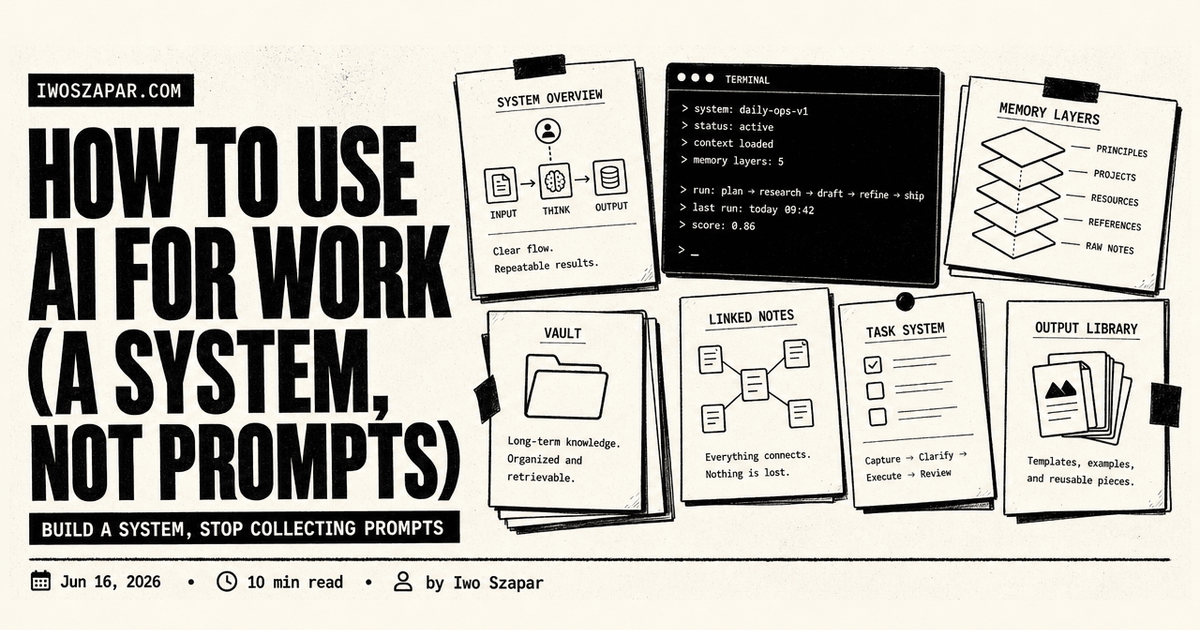
How to use AI for work (a system, not prompts)
Build a system, stop collecting prompts
For my first year using AI seriously, I collected prompts. I had a folder of them, the clever ones from Twitter, the long role-play preambles, the formatting tricks. And every week I used fewer of them, because finding the right prompt and adapting it took longer than just doing the task.
The shift that actually changed my output was giving up on prompts as the unit of work. A saved prompt captures the words someone typed, but rarely the situation that made those words work. What gets leverage from AI at work is not a better prompt. It is a system: a setup that gives the AI memory, context, repeatable structure, and the ability to act. This guide is how I think about building that system.
Why AI at work is a system, not a prompt
The evidence for this is not just vibes. When Andrew Ng's team wrapped an older, weaker model in an agentic workflow, plan, draft, critique, revise, it dramatically outperformed a stronger model used with a single zero-shot prompt. The workflow beat the model. That result reframes the whole game: the gains come from the structure around the model, not from one perfect instruction.
The industry caught up to this in 2026. The phrase you hear now is context engineering, the discipline of curating everything the model sees at the moment it acts, not just the prompt string. Anthropic has written the clearest version of this in their guide to context engineering, and prioritizing context over prompts has become common advice for teams serious about getting AI to work.
So if you have been waiting to "get good at prompting," you can stop. The higher-leverage move is to build the system around the work.
The four layers of an AI work system
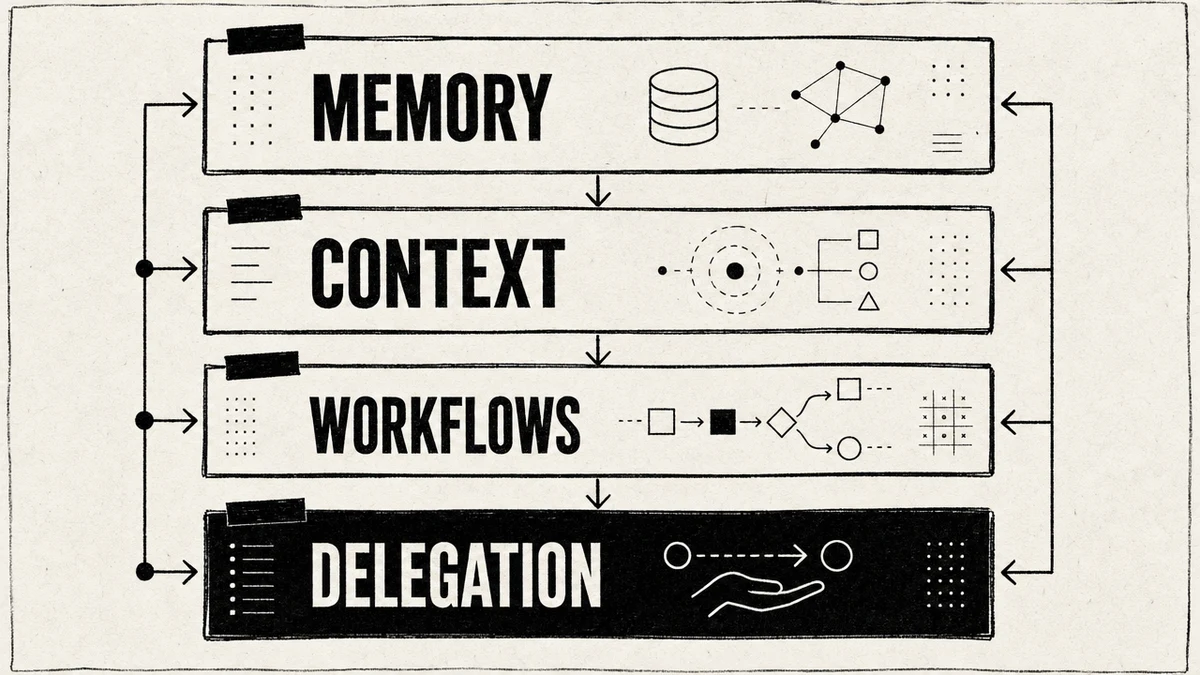
A working AI setup has four layers. Each one fixes a specific way AI fails when you skip it.
- Memory. A durable place the AI reads every time, so it knows your context without being re-told.
- Context. The deliberate curation of what the model sees for a given task, the right documents and tools, nothing more.
- Workflows. Bounded, repeatable processes instead of one-off chats, so good results are reproducible.
- Delegation. Handing multi-step jobs to agents that can act, with you reviewing at the gate.
You can adopt them in order. Memory alone is worth a week of effort. Each layer makes the next one more powerful.
Layer 1: give the AI a memory
The first thing that broke my prompt habit was realizing how much of every session I spent re-explaining myself. Who I am, what the project is, how I write, what we already decided. A memory layer stores that once and loads it every time.
In practice this is a persistent store the AI reads on every session: a project memory file, or a memory server it can query. Tag it by scope, what is true about you, about this project, about this client, so the right context loads for the right task. This is exactly what an AI second brain provides, and I wrote the full version in the AI second brain guide. The setup I use is Iwo's MemoryOS, with the walkthrough in how to set up persistent memory.
Layer 2: engineer the context
Memory is what the AI always knows. Context is what you deliberately put in front of it for one task. The skill is curation: give the model the specific documents, examples, and tools the job needs, and leave the rest out. More context is not better. The right context is.
For recurring tasks, I assemble a fixed bundle, last week's report plus this week's data plus the template, and feed only that. For long tasks, I let the assistant keep its own working notes and reload them, so it does not lose the thread. The deeper idea, that the files you load are the real prompt, is one I explored in the file system is the prompt and context engineering with MCP.
Layer 3: turn tasks into workflows
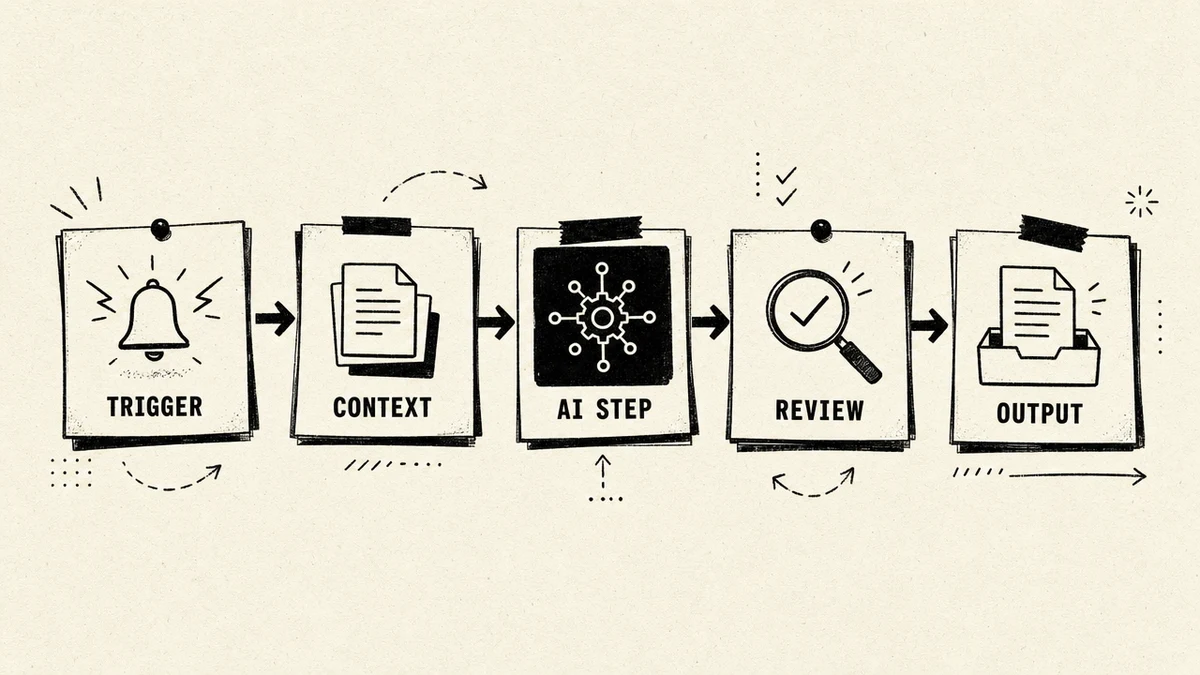
A prompt is a one-off. A workflow is a process you can run again and trust. The difference is what makes AI dependable at work instead of occasionally impressive.
A good workflow has a shape: a trigger, the context it pulls in, the AI step, a business rule or review, and a structured output. Take drafting a client email. Instead of a saved "write an email" prompt, the workflow is: new lead comes in, pull the CRM record and the one-pager, draft in your voice, check it against a tone rule, and send only after a glance. Same inputs, same quality, every time. Build the process once and stop retyping it.
Layer 4: delegate to agents
The top layer is handing whole jobs to an agent that can take several steps and use real tools, while you stay the reviewer. A supervisor agent takes an instruction like "prepare the weekly report," breaks it into subtasks, pulls the metrics, drafts the narrative, formats the result, and comes back to you for sign-off.
The principle I hold onto here: the workflow should control the agent, not the other way around. Open-ended "go figure it out" tasks are hard to trust and harder to debug. Bounded jobs with a clear review gate are where delegation actually pays off. This is also the frontier of doing real work without writing code yourself, which I covered in vibe working, AI without coding.
How to start this week
You do not build all four layers at once. Here is the order I would start in.
- Write one memory file. Put your role, your current projects, your voice, and your key decisions in a single document the AI loads every session. This alone removes most of the re-explaining.
- Pick one recurring task and make it a workflow. The weekly report, the standard email, the meeting summary. Define its trigger, context, and review step once.
- Measure the outcome, not the activity. Track whether the task got faster or better, not how many times you opened the tool. If a workflow does not save time, change it or drop it.
- Only then delegate. Once a workflow is reliable, let an agent run it end to end with you approving the result.
For the knowledge layer underneath all of this, Iwo's Second Brain gives you the memory and structure as a ready template. The same system that powers good recall powers good work.
The mistakes that keep AI from working
A few patterns reliably stop AI from delivering at work, and I have made all of them.
- Treating it as a vending machine. One prompt, one answer, no memory, no context. You get a clever response and no compounding value.
- Giving vague, open-ended tasks. "Improve our onboarding" fails where "rewrite step 3 of this onboarding doc for clarity, here it is" succeeds.
- No review gate. Letting AI output flow straight into the work without a human check is how small errors become big ones.
- Measuring adoption instead of outcomes. Logins do not matter. Hours saved and quality gained do.
Fix these and AI stops being a party trick and starts being infrastructure. For proof of how far a good system goes, see how to save 31 hours a week using AI and how I run a lean business on systems.
FAQ
How do I actually use AI at work day to day?
Build a system, not a prompt habit. Give the AI a memory file it reads every session, curate the context for each task, turn your recurring jobs into repeatable workflows, and delegate the reliable ones to agents. Start with the memory file, because it removes the re-explaining that wastes most sessions.
Is prompt engineering still worth learning in 2026?
Basic prompting is still useful, but it is table stakes, not the edge. The leverage has moved to context engineering and workflows, the system around the model. A clear instruction inside a well-built workflow beats a clever prompt fired into an empty chat.
What is the difference between an AI workflow and an AI agent?
A workflow is a fixed sequence you define: trigger, context, AI step, review, output. An agent is given a goal and decides the steps itself. Workflows are predictable and easy to trust. Agents are more flexible but need bounded tasks and a review gate. Most reliable work uses workflows, with agents for the well-understood jobs.
How do I get reliable output from AI instead of hit or miss?
Reliability comes from the system, not the prompt. Persistent memory removes context drift, curated context keeps the model focused, and a repeatable workflow with a review step makes good results reproducible. If output is inconsistent, the fix is almost always more structure, not a longer prompt.
What should I automate with AI first?
Pick the three or four tasks that eat the most time and have a clear right answer: drafting, summarizing, research synthesis, routine reporting. Turn those into workflows before anything else. Do not hand the whole team a blank chat box and hope. Bake AI into the specific jobs where it pays off.
How do I measure whether AI is actually helping?
Measure outcomes, not adoption. Track whether tasks get faster, whether quality improves, whether you close work sooner, not how many people logged in. If a workflow does not move one of those, change it or drop it.
The memory layer is where an AI work system starts. Iwo's Second Brain ships it as a template, on Iwo's MemoryOS for persistent recall across every session. For the knowledge side of the same system, read the AI second brain guide.