Claude Code
for Founders
Every decision runs through you. Board prep, investor updates, team comms, ops. I replaced $265/month in SaaS tools with one folder and a set of frozen commands. 100+ founders and leaders have deployed the same system. No coding required.
By Iwo Szapar • ~15 min read • April 2026
Written by a Founder, for Founders
Iwo Szapar
I'm a founder who runs product, sales, ops, and fundraising. Daily AI user since 2022. 30+ custom agents in production. I run my entire business on Claude Code: board prep, investor updates, content, CRM, outreach, delivery. No HubSpot. No Buffer. No Asana.
What I automate:
- • Board prep & investor updates
- • Daily priorities from real data
- • Sales pipeline & CRM ops
- • Content & outreach at scale
This guide is for:
- • Founders & CEOs (58% non-technical)
- • Solo operators who are the bottleneck
- • PMs, consultants, fractional execs
- • Anyone doing CEO + builder + ops
Which founder are you?
Five patterns I see in every founder who deploys this system. Most are two or three at once.
The Bottleneck
Every decision, review, and approval routes through you. Your team context-switches waiting for your response. You are the single point of failure.
The Communicator
60% of your week is writing: board decks, investor updates, team comms, customer responses. The substance is in your head. The typing is the tax.
The Visionary
Your proprietary standards and voice are the company's moat. But they only live in your head. Nobody else can produce work that sounds like you.
The Builder-CEO
You're already in Claude Code building product. Now you want it to handle the CEO work too: strategy, ops, comms, pipeline.
The Solo CEO
No exec team. You run product, sales, ops, and fundraising alone. You need a chief of staff that costs $20/month, not $120K/year.
What changes for founders specifically
Three use cases that pay for the system in the first week.
Board Prep
Before:
Generic AI asks 15 clarifying questions. You spend 30 minutes feeding it context it should already know.
After:
Claude pulls your real Q1 financials from Stripe, uses your board deck template, applies feedback from last quarter's board meeting. Personalized, in your voice, without re-explaining your business.
Investor Updates
Before:
"Help me write my monthly investor update." AI produces something that sounds like a blog post, not you.
After:
Claude drafts the update matching the tone of your previous 8 updates. Real metrics from Stripe and GA4. Highlights and lowlights in your candid style.
Daily Priorities
Before:
"What should I focus on today?" AI gives generic productivity advice. No idea what's actually happening in your business.
After:
Claude reads your inbox, calendar, CRM pipeline, and task list. Tells you the DataCorp proposal needs your review, the CTO flagged a production issue, and your Series A investor follow-up is overdue.
"Now I type /prep and get a complete brief with their history, concerns, and my recommended approach."
Gabe Marusca, Consultant / Founder • 93% faster prep
See it in action first
What a Running System Looks Like
One command. AI reads your emails, WhatsApp messages, tasks, and CRM. Then it tells you what to focus on today. Everything you see below, you can build after reading this guide.
3-minute clip from a live coworking session.
Visual Summary: 5 Slides
The key ideas from this guide in a swipeable format. Download the PDF to share.
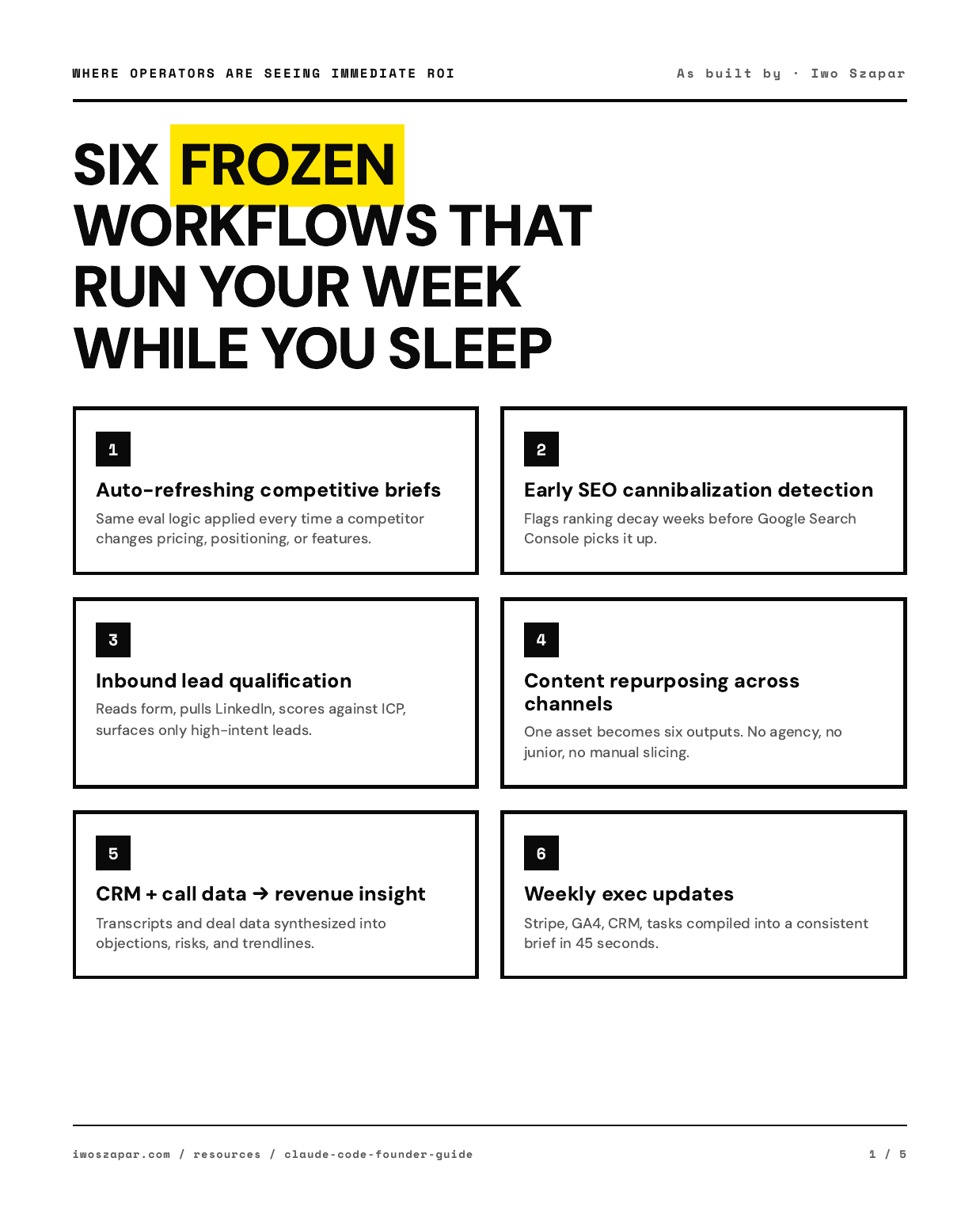
Slide 1 / 5
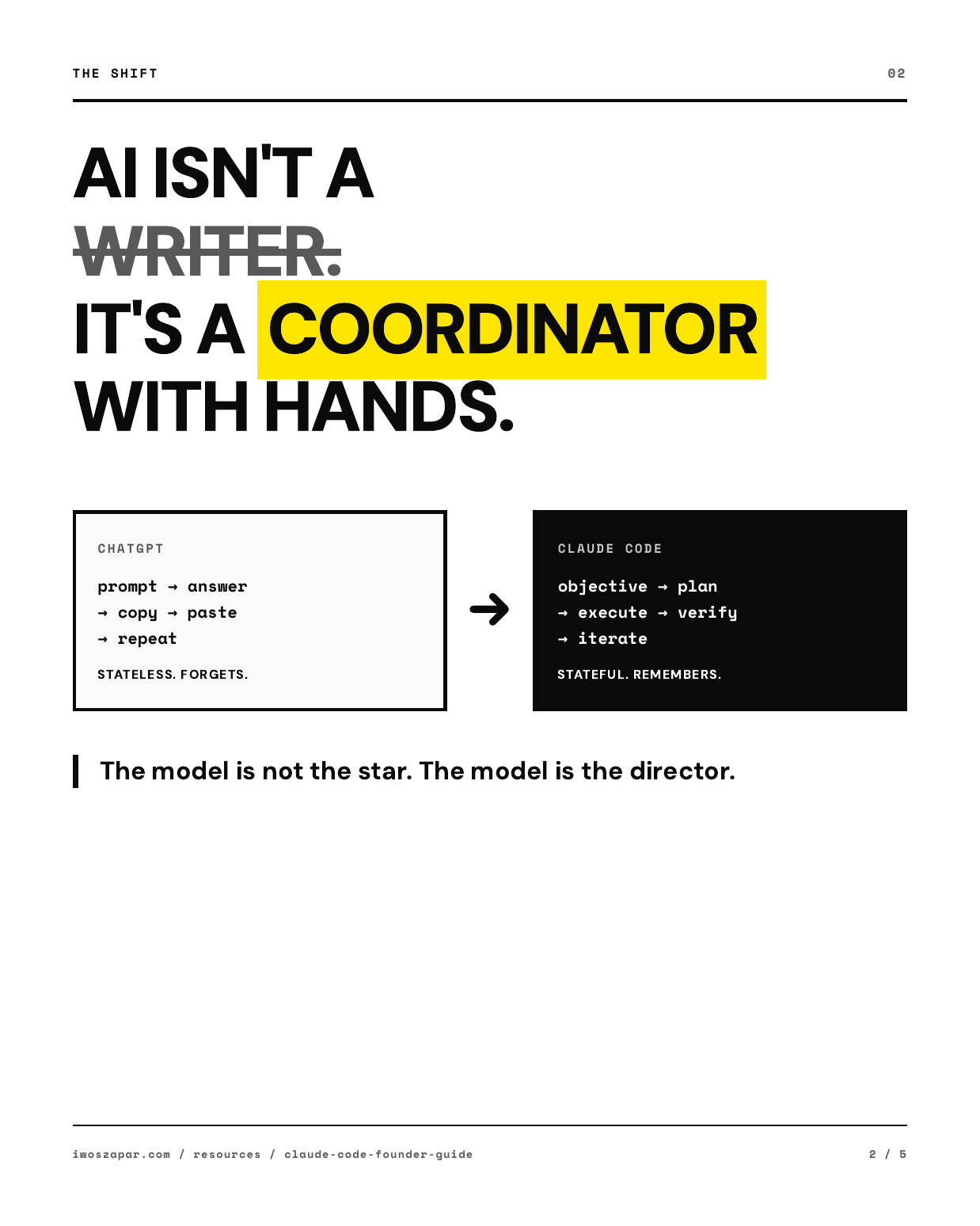
Slide 2 / 5
The Shift: AI as Coordination, Not Generation
Any model can write a paragraph. Any model can summarize a PDF. The interesting capability, the one that changes your P&L, is coordination.
"The model is not the star. The model is the director."
Your job isn't stitched together with video tools. It's stitched together with Gmail, Calendar, Notion, HubSpot, Slack, Stripe, LinkedIn, Google Analytics, a CRM export, and three Google Docs you update every Monday. The work is the coordination between them. The part where you copy something out of tool A, think about it for eight minutes, rewrite it, and paste it into tool B.
That's what Claude Code automates. Not the thinking. The copy-paste in between.
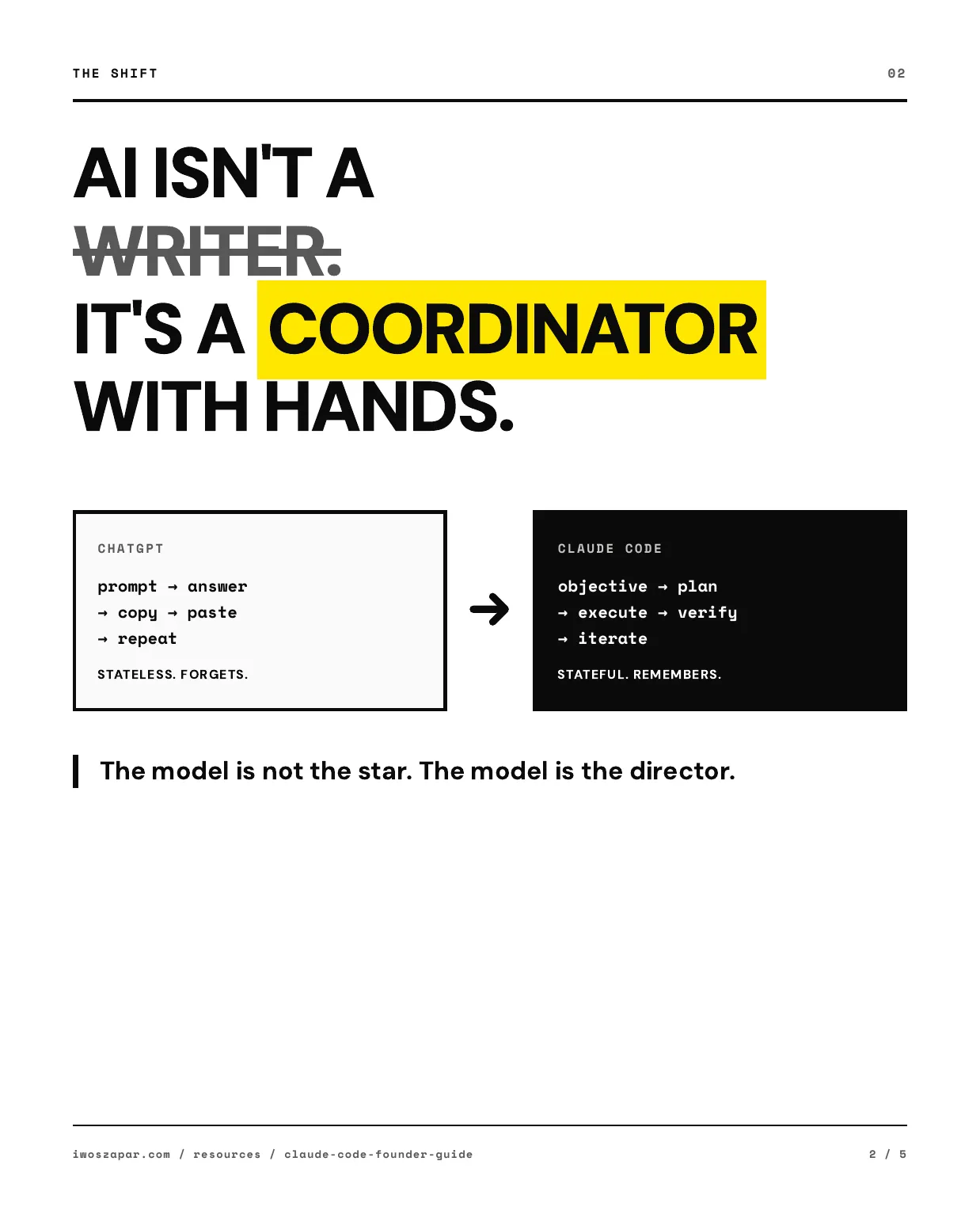
Traditional AI (stateless):
prompt → answer
→ copy → paste
→ repeat
Claude Code (stateful):
objective → plan
→ execute → verify
→ iterate
Stop thinking of AI as a writer. Start thinking of it as a coordinator with hands.
"I'm not a coder. I don't write code. So it's incredible that this type of stuff is available and can happen."
Dominic, Cloud Consultant • Built a subscription platform using Claude Code with zero coding background
Planning Is the Highest-ROI Workflow
If Claude Code did nothing else, one use case alone would pay for the year: it forces you to plan before you execute.
Here's how time and money leak out of small companies. It's almost never that execution is too slow. It's that execution starts while the decisions are still fuzzy. Scope that wasn't pinned down. Assumptions nobody surfaced. A "we'll figure it out as we go" attitude that turns into a rewrite three weeks later.
You can ask any AI to write a PRD. That's free. The differentiator is what happens the second the plan exists.
With ChatGPT, the plan lives inside a chat thread. It's ephemeral. You'll forget which thread it was in. Claude Code writes the plan to a file. The file lives in your folder. It has a name. It has a date. Point Claude at it six months later and you'll get the same answer.
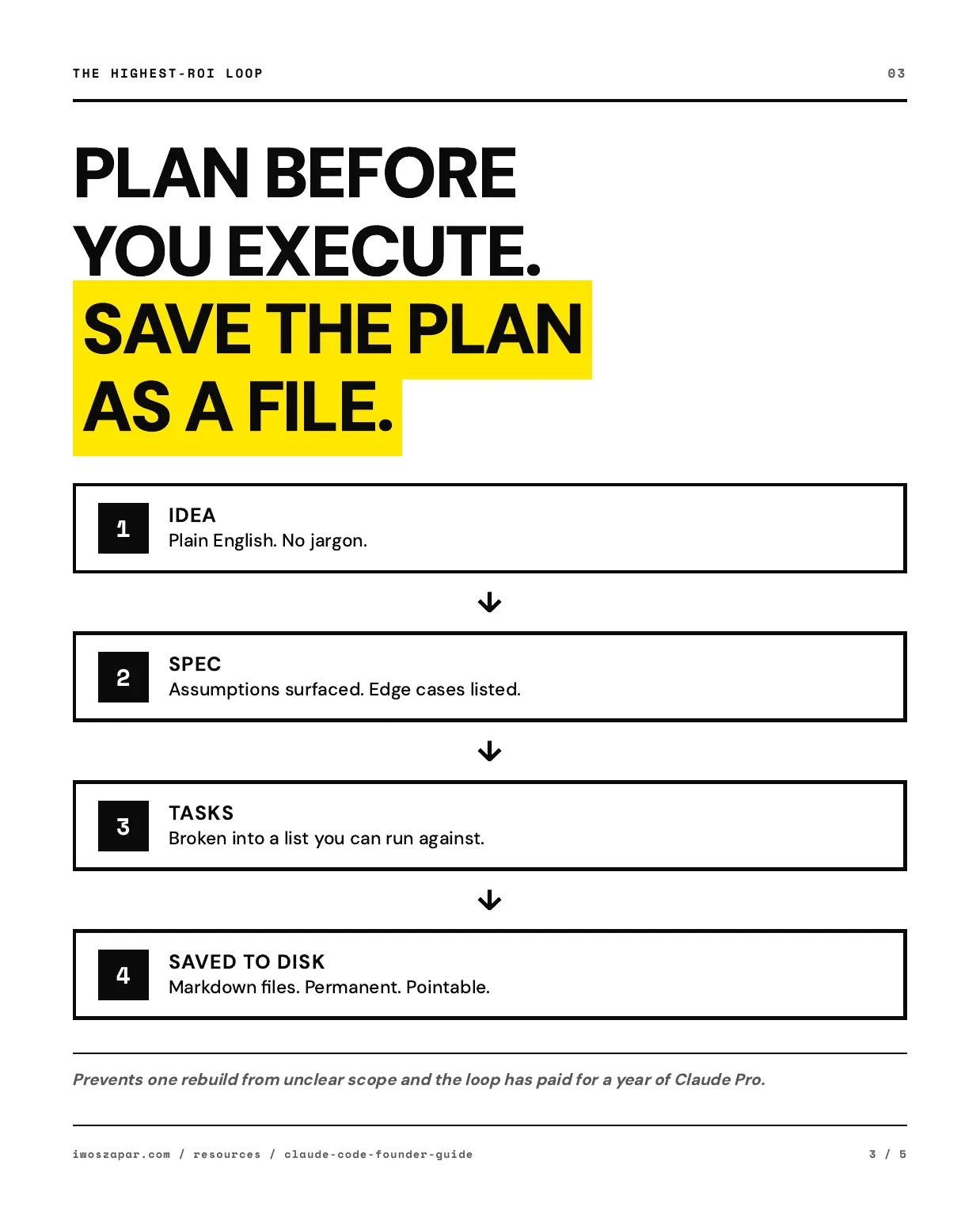
My planning loop:
Describe the idea in plain English
No jargon. Just what you're trying to do and why.
Claude turns it into a written spec
Assumptions labeled. Edge cases surfaced. Decisions listed with alternatives.
Spec breaks into a task list
Concrete steps you can execute against.
All three saved to disk as markdown
Permanent. Pointable. Before any real work starts.
Real impact: The first time this loop prevents one rebuild from unclear scope, or one mid-project pivot caused by a missed assumption, it has paid for a full year of Claude Pro. You don't need a fancier version. You just need the discipline to run the loop every time.
Real result: parallel agent execution
SEQUENTIAL (ChatGPT)
45 min
3 of 5 competitors done
PARALLEL (Claude Code)
20 min
All 5 done simultaneously
A consultant analyzed 5 competitors (Asana, Monday, ClickUp, Notion, Airtable). Claude Code ran all 5 in parallel with subagents. 2.25x faster, 100% completion.
"You've solved for me on this call what I was still doing wrong. I was prompting it like it was a chatbot. By using commands and agents, you can effectively have that manage your daily workflow for you. Definitely worth the money to save me three to four months."
Richard, Management Consultant (Australia) • Went from a week of manual setup to a working system in one 2-hour session
Where Claude Code Hits Your P&L: Six Frozen Workflows
Traditional AI shaves minutes off each task. Claude Code replaces the workflow. You stop thinking in tasks ("write this thing") and start thinking in systems ("run the thing I already defined").
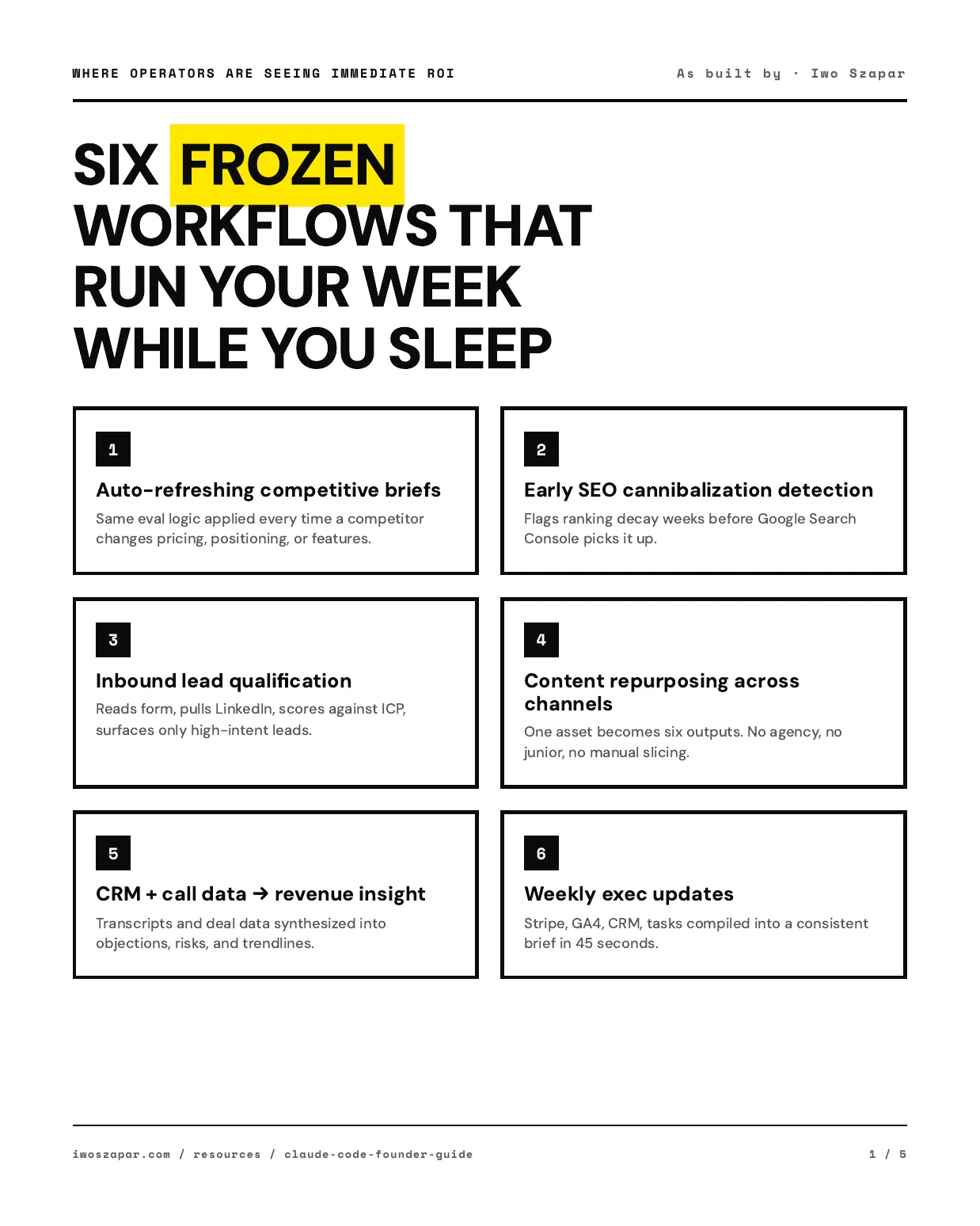
Auto-refreshing competitive briefs
You define the evaluation criteria once. Pricing. Features. Positioning. Claude Code pulls current data, runs the same comparison every time, flags what changed. You stop paying an analyst to check whether Competitor X updated their pricing page.
Early SEO cannibalization detection
Most teams discover ranking decay weeks after it happens. Claude Code checks search positions against your content inventory and surfaces patterns before they show up in Google Search Console.
Inbound lead qualification
A prospect fills out your form. Claude reads it, pulls their LinkedIn, checks against your ICP, cross-references CRM activity, and tells you in one line whether it's a real opportunity or noise.
Content repurposing across channels
One asset. Six outputs. A long essay becomes a LinkedIn post, three shorter posts, a Twitter thread, a newsletter section, and a video script. I do this every week. No agency. No junior.
CRM + call data → revenue insight
Call transcripts plus deal data plus email history get synthesized into objection patterns, at-risk deals, and trend lines. This used to require a dedicated RevOps person. Now it runs on a schedule.
Weekly exec updates
Metrics from Stripe. Traffic from GA4. Deals from the CRM. Tasks from the project system. All compiled into a consistent brief with deltas from last week, risks, and a narrative. 45 seconds.
What One Tool + Structured Context Replaced
These are real admin pages running in production right now.
| SaaS Category | Monthly Cost | Now Built Into Claude Code |
|---|---|---|
| CRM (HubSpot/Pipedrive) | $45-100/mo | Sales pipeline + prospect tracking |
| Email Marketing (Mailchimp) | $30-60/mo | Automated sequences + newsletter |
| Content Scheduling (Buffer) | $15-30/mo | Content calendar + queue management |
| Task Management (Asana/Linear) | $10-25/mo | Task tracking + session workflow |
| Analytics Dashboard | $20-50/mo | Business intelligence + reporting |
$120-265/mo before
$20/mo after (Claude Pro)
Not because Claude is a better CRM than HubSpot. Because for a solo operator or small team, one structured folder plus a coordinator that can read it covers 80% of what you were actually using those tools for.
21x
faster weekly reporting
Marketing manager: 3.5 hrs/week → 10 min/week across 5 reports
0 hrs
manual CRM updates
Sales Ops manager: 2 hrs/week → fully automated via MCP
2 days
to replace an agency
AI consultant built complete content pipeline worth hundreds/month
What MCP automation looks like in practice:
Manual Process:
- 1. Open HubSpot
- 2. Export 200 webinar attendees
- 3. Download CSV
- 4. Copy email list
- 5. Paste into ChatGPT
- 6. Ask for analysis
- 7. Copy results back
- 8. Upload to HubSpot
Time: 35 minutes
MCP Process:
- 1. "Tag webinar attendees"
- 2. Claude connects to HubSpot
- 3. Done.
Time: 3 minutes
"A friend of mine just told me about this new super cool solution he has bought. And it basically was what I have built in two days with the second brain."
Damian, AI Consultant (Switzerland) • Built a complete social media content flow: capture ideas → extract LinkedIn voice → generate carousel PDFs → schedule posts
How Founders Lock In ROI: Turning Workflows Into Commands
Here's what separates operators who get a short-term productivity bump from operators who compound. They stop re-prompting. They start freezing.
A workflow is command-worthy when four things are true:
My weekly exec update
This used to be a Sunday-evening scramble. Pull Stripe numbers. Pull GA4. Check the CRM. Write a narrative. 90 minutes if nothing broke.
Now it's a command. I type /weekly-review in Claude Code. It reads from four data sources, runs the same structure every time, compares to last week, flags anomalies, and drops a formatted brief into a file. 45 seconds. Zero cognitive overhead.
My CRM
I used to pay for HubSpot. Spent more time fighting the UI than using the data. Now I have a folder, a SQL table, and a command called /sync-email-replies that auto-detects when a customer emails me, updates their stage, creates a deal record, and flags whether I need to personally respond or just acknowledge. The logic lives in one markdown file. When the logic changes, the next run picks it up.
See a frozen workflow in action
Another frozen workflow: financial analysis
The part nobody tells you:
The first run creates the value. The command preserves it. Once a workflow is frozen, the logic stops drifting. Future improvements apply to every future run automatically. Mistakes don't get "fixed in chat." They get encoded into the command so they don't come back. That's how the system gets better instead of resetting every session.
"I built my own system and spent 3 hours a week maintaining it. The Second Brain does the maintenance automatically."
Wouter van den Bijgaart, AI Developer / Founder • Replaced DIY setup
Guardrails: CLAUDE.md as Institutional Memory
The instinct, when you hand work to a system that moves this fast, is to slow it down with approval gates everywhere. That instinct is wrong. You want safety where mistakes are expensive. Everywhere else, let it run.
Add guardrails here:
- • Anything that sends or forecasts money
- • Anything that touches production or customer data
- • Anything published to external channels
- • Anything that commits you to a deadline
Let it run fast here:
- • Research and analysis
- • First drafts
- • Internal reports
- • Planning docs
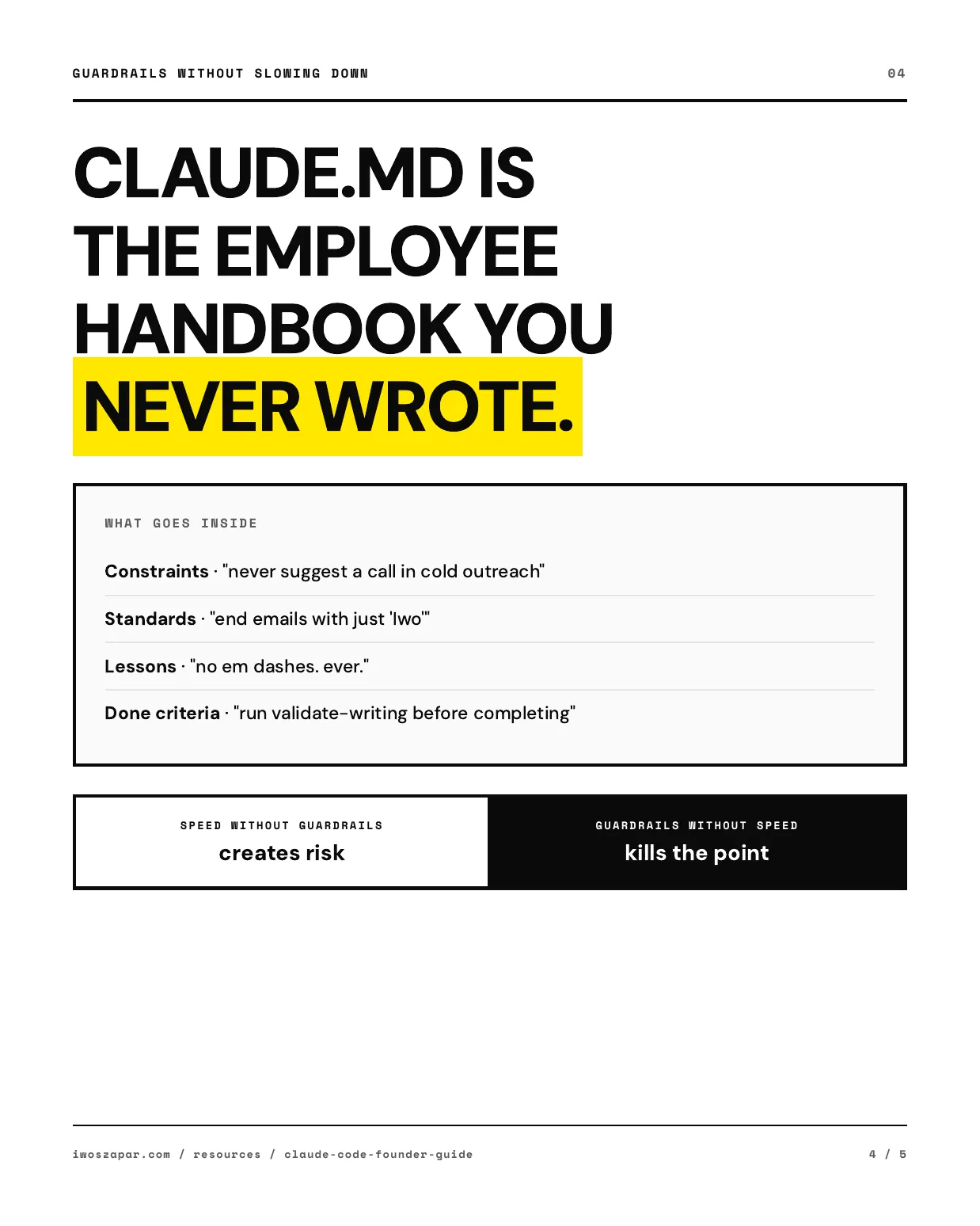
What goes inside CLAUDE.md:
Constraints
"Never suggest a call in cold outreach"
Standards
"End emails with just 'Iwo'. 40-100 words. One question mark."
Lessons from past mistakes
"Don't use em dashes. Iwo hates them."
Done criteria
"Run validate-writing before marking complete"
The pattern that matters: when Claude makes a mistake, I don't just fix it in the moment. I ask: should this go into CLAUDE.md so the mistake doesn't happen again? If yes, I add one line. The next session, the next agent, and the next command all inherit the fix. The mistake is now structurally impossible.
Think of CLAUDE.md as the employee handbook you never had time to write. Except this one actually gets read, every single time, by the person doing the work.
The 5 types of instructions that make CLAUDE.md work:
Descriptive
"This repo is a consulting business with 12 active clients." Context, not commands.
Prescriptive
"Always end emails with just 'Iwo'. 40-100 words. One question mark." What to do.
Prohibitive
"Never suggest calls in cold outreach. Never mention the prospect's company name." What to avoid.
Explanatory
"We use SQL tables instead of markdown files because knowledge needs to compound and be searchable." The why.
Conditional
"When prospect has 0 shi score and was never contacted, send ONE value-only email. If no reply, LinkedIn only." When X, do Y.
From the Context Engineering Guide. The deeper framework behind everything in this article.
# CLAUDE.md
# AI Implementation Expert + Second Brain Architect

## Quick Start
1. Run /begin before any code changes
2. Use mcp__supabase__execute_sql for all DB queries
3. After changes: types + tests + build must pass

## Business Context
| Product        | Price       | Status |
|----------------|-------------|--------|
| Starter        | $197        | Live   |
| Accelerator    | $597        | Live   |
| Launch Partner | $2,497      | Live   |

## Don't
- Don't use postgresql MCP for product data
- Don't modify pricing without approval
- Don't add routes after the catch-all *

## Outreach Rules (NON-NEGOTIABLE)
- NEVER suggest calls or meetings
- NEVER mention prospect's company name
- ONE question mark per email
- End with just "Iwo". 40-100 words.
This is a trimmed excerpt. The full file is ~230 lines with pointer tables to detailed docs that load on demand. Keep CLAUDE.md under 200 lines.
See a real CLAUDE.md in context
Your First Session: From Install to Frozen Workflow
You don't need to configure CLI parallelism or Slack integrations on day one. Here is what to do in your first session.
Install Claude Code (2 min)
curl -fsSL https://claude.ai/install.sh | bashOpen terminal, authenticate, start
claude login
claudePick one workflow you did manually this week
Write it as if you were explaining it to a new hire. What data do you pull? From where? What does the output look like? Ask Claude to identify the steps that don't require judgment. That's your automation surface.
Run it once. Get the output you want.
The first time through will take 45 minutes. That's normal. You're teaching Claude how you work. The second time will take five minutes.
Freeze it. Move on to the next one.
Save the working approach as a skill or command. Next week it runs in seconds. Pick a second workflow. Then a third. That's the compound.
Watch a full session end-to-end
Go Deeper
Claude Code Mini Tutorial
Full 27-page setup guide. Install to working system in 90 minutes. Non-technical.
Read nowContext Engineering Guide
The deeper framework behind everything in this guide. How to structure AI context for compounding results.
Read nowAI Chief of Staff Template
Free template for the daily planning command shown in the video above.
Get templateCoworking Session Recording
Full 1-hour recording of a live build session. Watch the entire system in action.
Watch nowOfficial Documentation
Not technical? Neither are 58% of our customers.
Claude Code is a terminal tool, but you don't need to be a developer to use it. You type plain English. It does the work. The setup takes about 90 minutes with our templates.
If you can describe what you do to a new hire, you can use Claude Code. The full setup guide is at iwoszapar.com/resources/claude-code-tutorial.
Stop Being the Bottleneck.
100+ founders have deployed this system. Two ways to go deeper.
The complete Claude Code system — 30+ agents, 20+ skills, memory that compounds. Shipped to your GitHub in hours, not weeks.
Starter $197 · Accelerator $597 · Launch Partner $2,497
See PackagesThe memory layer that makes your AI compound. Patterns, decisions, and knowledge extracted automatically after every session.
Free · Standard $199/yr · Pro $349/yr
Get MemoryOS30-day money-back guarantee